


To run an employee survey, choose a decision, define who should answer, explain how responses will be handled, ask a short relevant set of questions, and assign action after reviewing the results. Do not launch until someone owns the follow-up. Collecting feedback creates an expectation that it will be considered.
This is a practical process for a small business or team running its own survey, not a replacement for a specialist employee-listening program. If you need question wording, use our separate 30 employee survey questions and examples. This guide covers the operating decisions that make those questions useful.
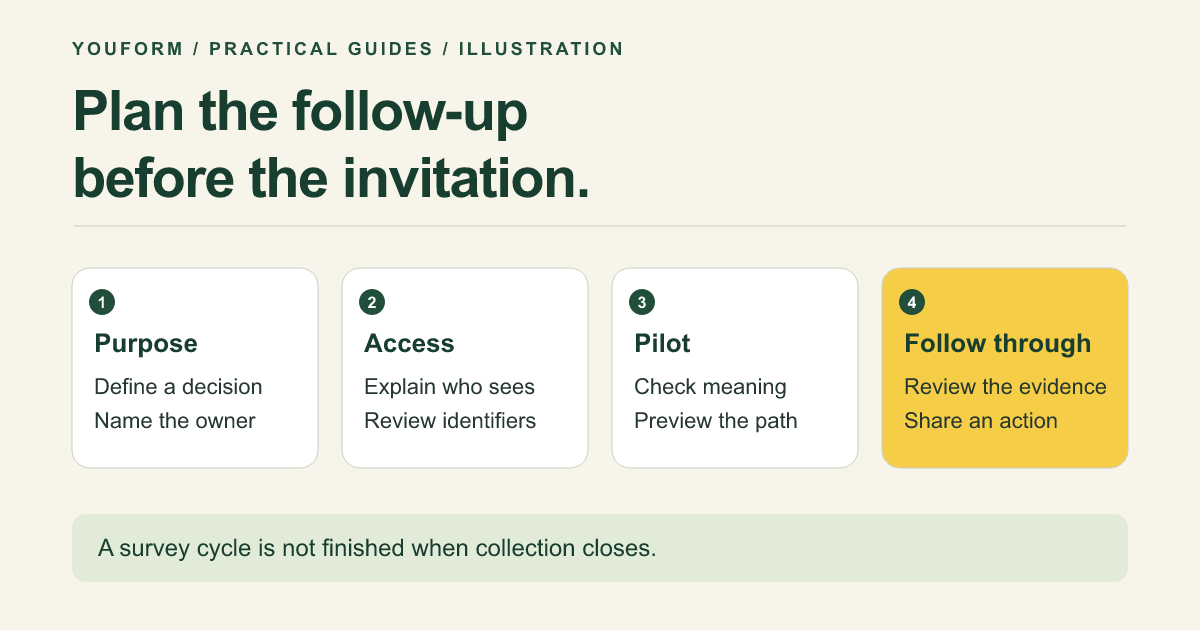
1. Define the decision and the owner
Replace “measure employee engagement” with something a person can act on. “Understand which onboarding step leaves new hires without support” is a workable decision. “Prove that morale improved” starts with the conclusion and invites biased wording.
Write a one-paragraph brief covering the audience, period, decision, owner, and reporting date. Choose one of these starting points:
- Broad experience check: a small core of satisfaction, workload, support, and open feedback questions.
- Focused pulse: a few questions about a specific change, keeping any baseline wording consistent.
- Milestone survey: onboarding or exit feedback at a defined point in the employee journey.
A recurring survey is not automatically better than a one-off. Choose a cadence that leaves time to review answers and make changes. Ask again because there is something to learn, not because a calendar reminder exists.
2. Decide what anonymous or confidential means in practice
Anonymous means responses are not linked to an identifiable person in the way the survey is designed and handled. Confidential usually means identifiable answers are restricted to designated people. Neither word should be used as a vague reassurance.
Review names, email collection, hidden fields, personalized links, connected spreadsheets, notifications, and free-text comments. Department plus tenure plus a distinctive incident can identify someone without a name. A small-team survey has particular identification risks.
Before launching, decide who can access raw answers, which results can be shared, how comments will be redacted, and how long the data will be retained. Set reporting rules appropriate to your organization; do not assume a universal minimum group size makes every result safe to publish.
If people need personal support, provide a separate contact route. Do not collect an email inside an allegedly anonymous response and hope the distinction is clear. A general survey is also not an emergency or formal grievance channel; explain the appropriate route for urgent concerns.
3. Choose a short set of questions and pilot the whole path
Pick one overall question, a few diagnostics connected to the decision, and an optional open comment. Use a recent reference period, balanced choices, and “Not applicable” where necessary. Keep questions about different concepts separate: workload and manager support may have different answers.
For a workload pulse, an illustrative set is: manageability over the past four weeks, clarity of priorities, frequency of working beyond agreed hours, and one change that would help. You do not need unrelated compensation or benefits questions for that decision.
Pilot with people who understand the intended audience. Ask what they think each question means, whether the choices fit, and where they hesitate. Test on a phone, including every relevant branch and a skipped optional comment. A pilot checks comprehension and operation; it does not validate the instrument statistically.
Pew's question-writing guidance is useful for this review. If you are using a validated external instrument, preserve its administration and scoring requirements rather than freely mixing its questions with your own and retaining the validation claim.
4. Send an invitation that answers the obvious concerns
Employees should know why you are asking, what period to consider, whether participation is voluntary, who sees answers, when the survey closes, and when the team will hear back. Use an accessible channel that reaches the full intended audience, including people without regular desk or email access.
Illustrative invitation to adapt after setting your access rules:
We are reviewing how priorities are set when work exceeds available time. Please share your experience of the past four weeks by [closing date]. [Named review team] can see individual answers; managers will receive a reviewed summary under our reporting rules. Participation is voluntary. We will share the main findings and next steps by [reporting date]. For an urgent concern, use [separate contact route].
Replace every bracketed phrase and check the statement against the actual setup. Estimate completion time from the pilot if you include it. Send a neutral reminder through the agreed channel without pressuring people to provide a positive answer or exposing who has not participated.
5. Read results without turning them into a league table
Begin with eligibility and participation. How many employees were invited? How many responded? Which groups or access routes may be missing? A high response count is useful but does not establish that nonrespondents feel the same way.
For each question, show the valid answer count, distribution, and not-applicable or skipped counts. Do not treat a skipped answer as a neutral rating. Read comments alongside ratings, using a consistent theme list and preserving the original wording in restricted working records.
Compare periods only when wording, scales, audience, and timing are reasonably comparable. Record relevant changes. A different set of respondents or a reworded question can move the result without a change in work conditions.
Do not average unrelated questions into a homemade engagement index, rank managers from tiny groups, or infer individual leaving risk from a low score. These responses are evidence to investigate, not an automatic employment decision. See selection bias and response bias for common interpretation problems.
6. Assign one visible improvement and report back
Use a short action record rather than a long presentation:
| What we heard | What we will do | Owner and check |
|---|---|---|
| Priorities change without an explicit trade-off. | Publish the weekly priorities and name work being deferred. | Operations lead; review the same workload question after six weeks. |
| New hires cannot find access instructions. | Put an access checklist and escalation contact in the welcome pack. | Onboarding owner; check with the next cohort. |
The examples are illustrative. Explain what you will not change yet and why, as well as what you will change. Share reviewed findings without exposing the authors of sensitive comments. A finding can deserve action even if it is not the most frequent theme.
At the follow-up, ask about the specific action and keep a comparable baseline question. Report whether the action was implemented before attributing a score change to it. “We listened” is not the same as “we changed the process.”
A practical Youform setup
Copy the employee survey template, edit the introduction to match your privacy decision, and remove identifying fields you do not need. Its optional contact field must be reviewed before promising anonymous feedback. Use logic for relevant follow-ups and preview the complete path.
Free includes unlimited forms and responses, allowing a first survey and a later pulse without response-volume charges. Connect a restricted Google Sheet if that is your analysis workflow. Review collaboration and analytics plan boundaries before assigning access. Youform provides collection and workflow tools, not a turnkey validated HR benchmark or a guarantee of anonymity.
Employee survey process FAQs
How often should we survey employees?
Match the cadence to the decision and your ability to act. A broad review and a focused follow-up serve different purposes. Avoid repeatedly asking about a problem while leaving the last promised action unresolved.
What should we do if few people respond?
Check reach, accessibility, trust in the handling process, timing, and survey relevance. Do not assume silence means satisfaction. Report participation limits and consider an appropriately handled alternative way to listen.
Can AI analyze comments?
It can assist with draft themes if your approved data controls allow it. Remove unnecessary identifiers, verify summaries against the original comments, and retain human judgment. Do not use automated sentiment as a decision about an individual employee.
Reviewed November 10, 2026. The operating examples are editorial suggestions, not a claim of clinical, legal, or instrument validation. Workvivo's employee survey guide is additional context on moving from results to action.