
Move a SurveyMonkey feedback survey without breaking the trend
A recurring score is only useful when the question, scale, audience, and timing stay comparable. Before replacing a customer survey, write down all four. Keep the original response counts alongside historical percentages so a change in audience size stays visible.
SurveyMonkey’s downgrade guide describes restrictions on paid features and response access. Export the data and reports you need while your plan still permits it, and check what will remain available after downgrading.
Recreate the wording and follow-up branch in Youform. Use the NPS calculator for the same 0–10 recommendation scale, or the response-rate calculator when you know the invitation count. Neither tool supplies respondents or removes sampling bias.
For your shortlist, compare SurveySparrow for recurring feedback and Qualtrics for research requirements.
Scenario guidance reviewed 13 September 2026. Product sources are linked above; the plan comparison retains its own review date.
Response summaries, analytics, and reports
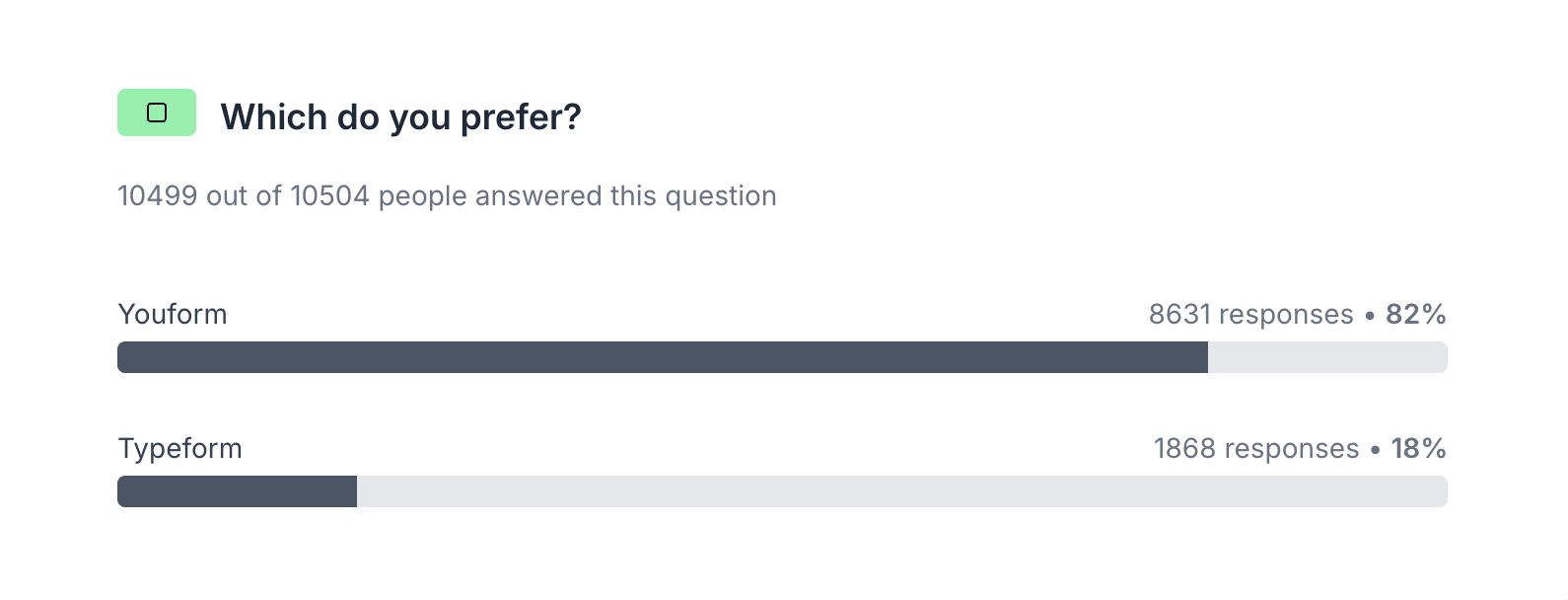
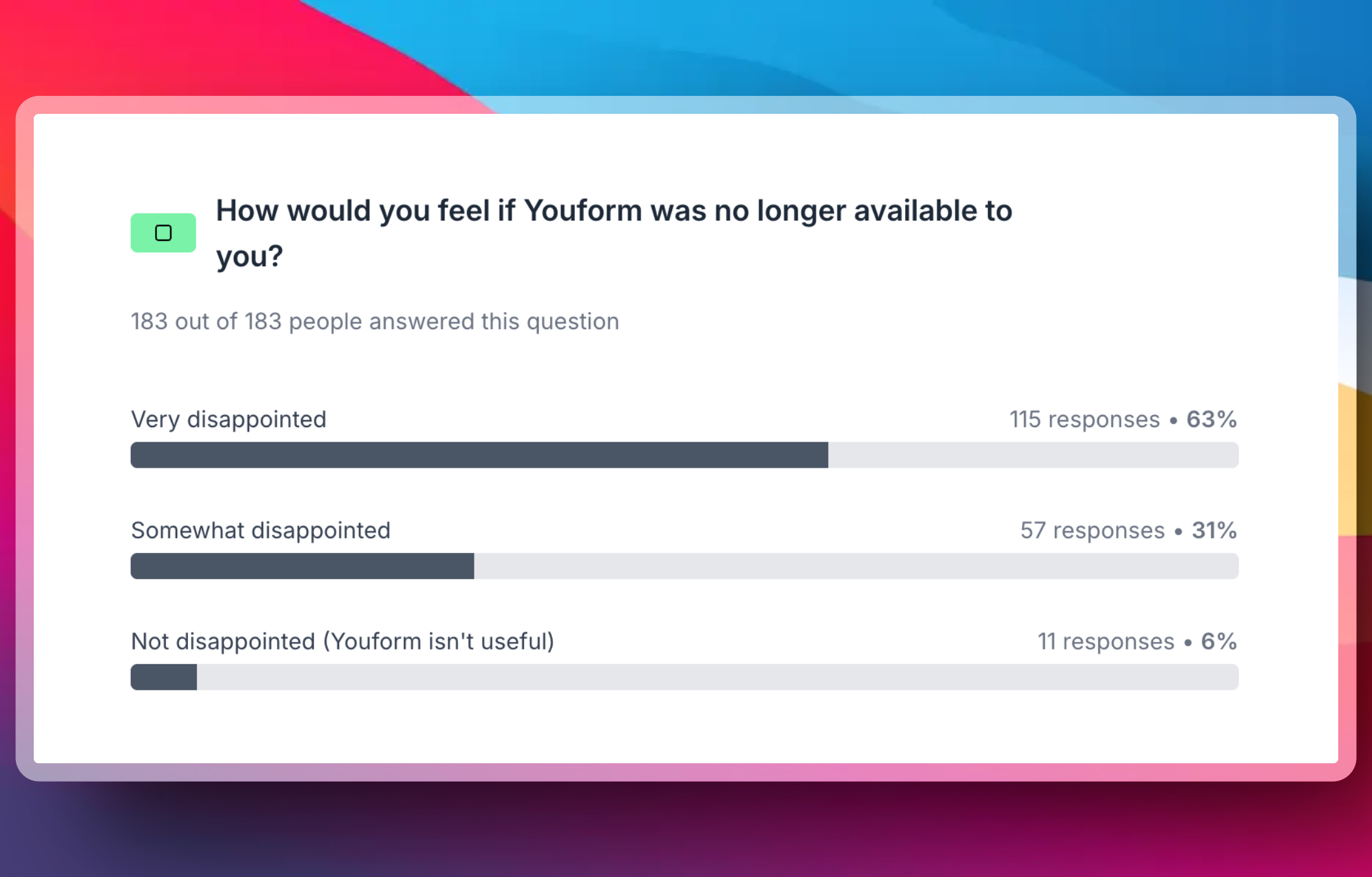
Review answers as well as the total number of submissions. Choice-question summaries and rating distributions help you see patterns before opening individual responses.
Form performance
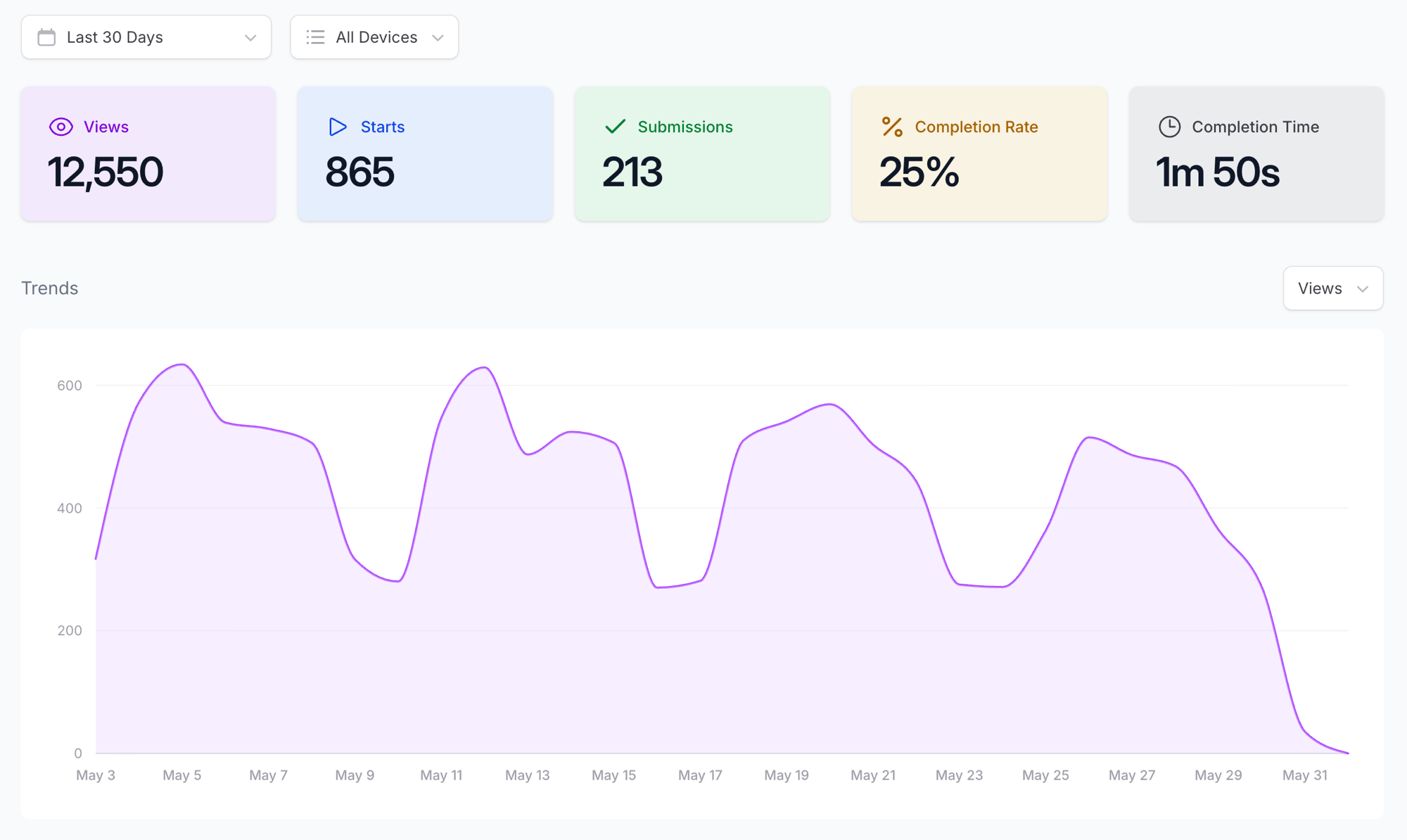
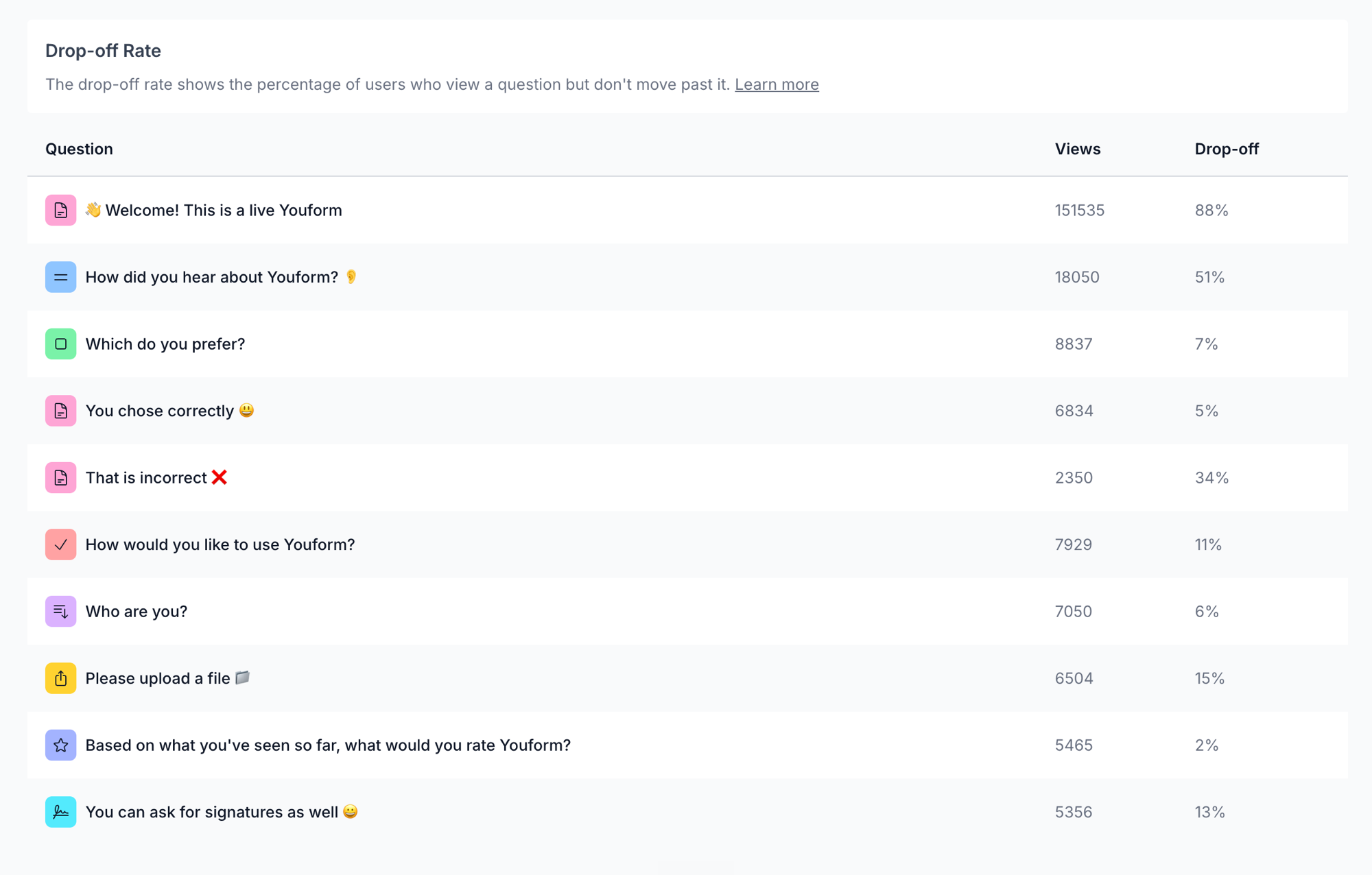
Track views, starts, submissions, and completion rate. Advanced analytics and question-level drop-off require Pro; use them to identify questions worth investigating.
Share or export the results
Download responses as CSV or share a summary with the appropriate audience. Check the contents and access settings of a live report before sending it, especially when text answers contain personal information.
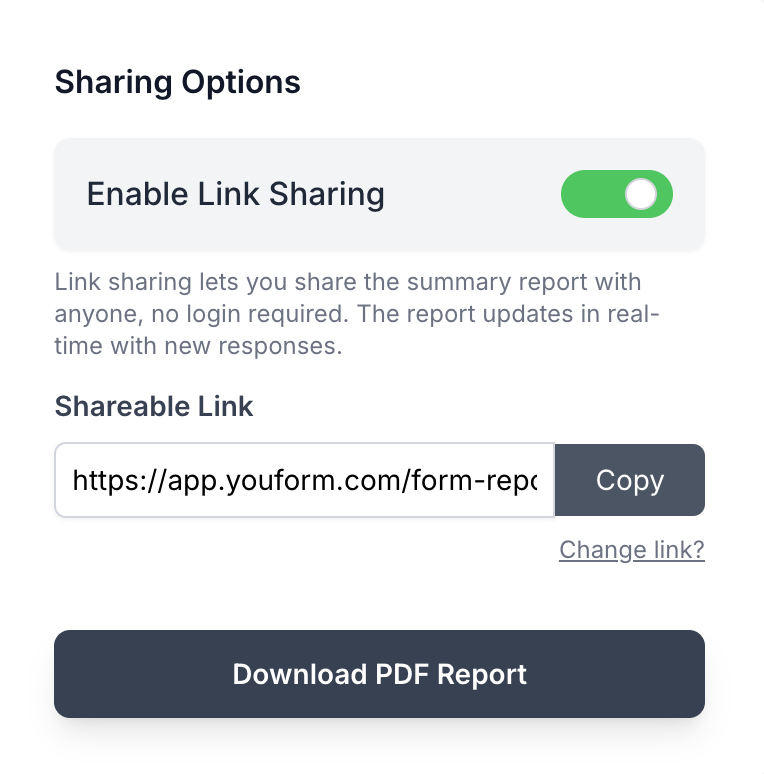
SurveyMonkey offers its own reporting and analysis tools. Compare the plan needed for your exports, analysis, and sharing workflow using the dated source links in the table above.
Anonymous surveys, QR sharing, quizzes, and scheduling
- Anonymous surveys: Youform’s free mode stops storing identifying response metadata for new submissions and shows an explanatory badge. Review the setup and questionnaire together.
- QR sharing: distribute a survey at an event or on print materials. The destination must remain published and accessible.
- Collection controls: review how to close a survey or stop accepting answers when the collection window ends.
- Quizzes: use scoring and conditional paths to build an assessment or a personalized result.
- Scheduling: gather context before showing a supported booking block. The scheduling provider has its own plan.
- AI: start from a written brief and review the draft before sharing.
SurveyMonkey’s Anonymous Responses setting depends on collector configuration. Check each collector before distributing the survey.
Connect the answers to the next step
Use Google Sheets, Slack, or webhooks for supported direct workflows, or connect other apps through Zapier or Make. The automation provider can require its own account, permissions, and plan.
For example, a feedback response can create a spreadsheet row, notify the responsible team, and create a follow-up task. Decide who should receive sensitive comments and whether a summary is more appropriate than forwarding every answer.
Browse the connection methods and create a SurveyMonkey QR code if you are keeping an existing survey.


