
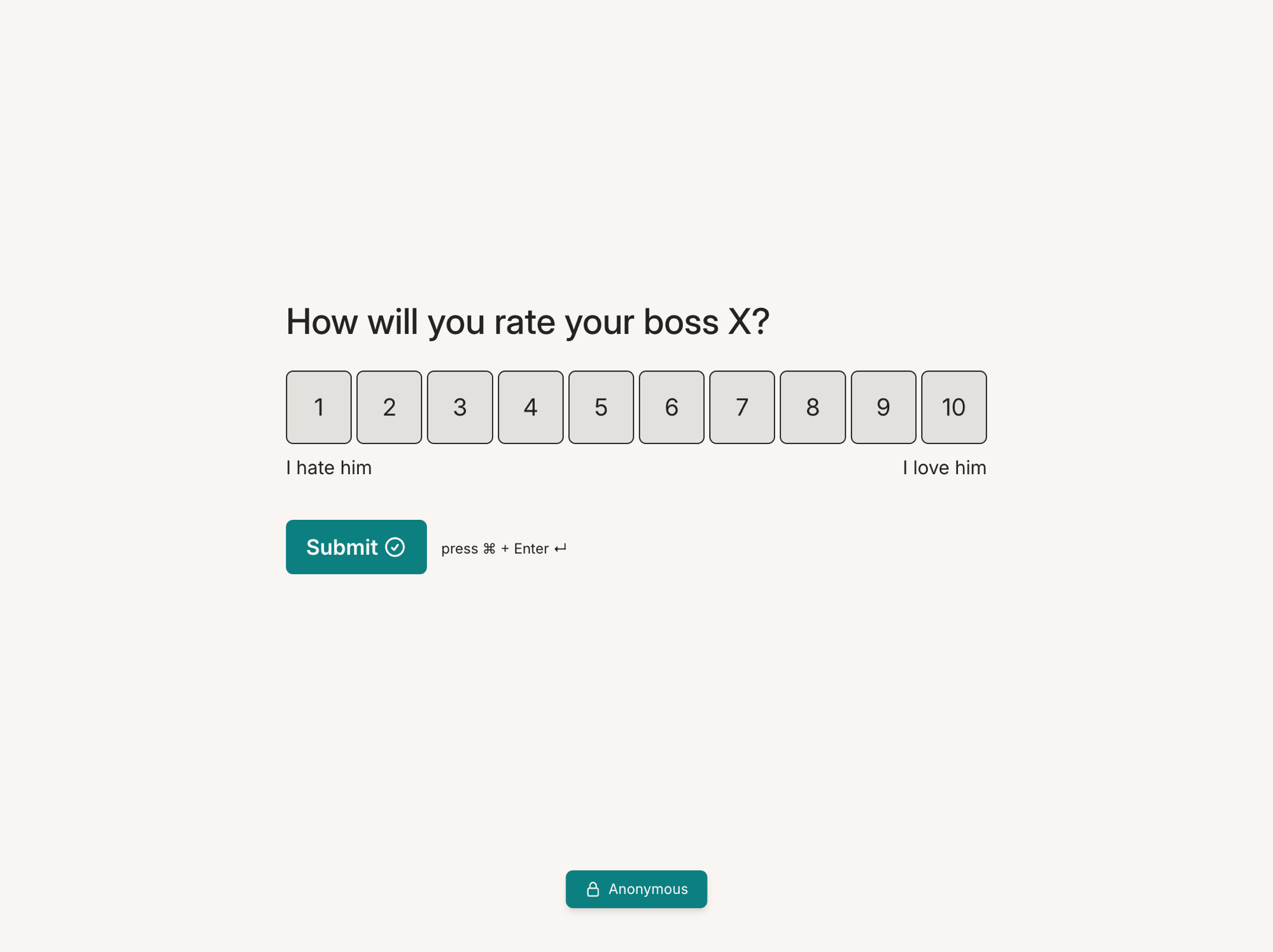
Your respondents trust anonymous surveys less than you think
People need a reason to trust an anonymous survey. If they worry that a manager can trace an answer back to them, they may hold back or skip the survey.
This comment from a discussion on r/managers captures that concern:

Youform addresses both the collection setting and what the respondent sees: Anonymous Survey mode stops storing identifying response metadata for new responses and displays an explanatory badge. Tell people how you will use their feedback as well.
What "truly anonymous" actually means
Turn on Anonymous Survey mode before collecting responses. For new responses, Youform does not store IP address, location, device, browser, or session data.
- No IP address stored with the response.
- No location captured with the response.
- No device or browser metadata attached.
- No session data stored with the response.

The setting is free, with unlimited surveys and responses within fair usage guidelines. It applies to new responses; do not assume it removes information collected earlier. Names, contact fields, hidden fields, and identifying details typed into answers still need your attention.
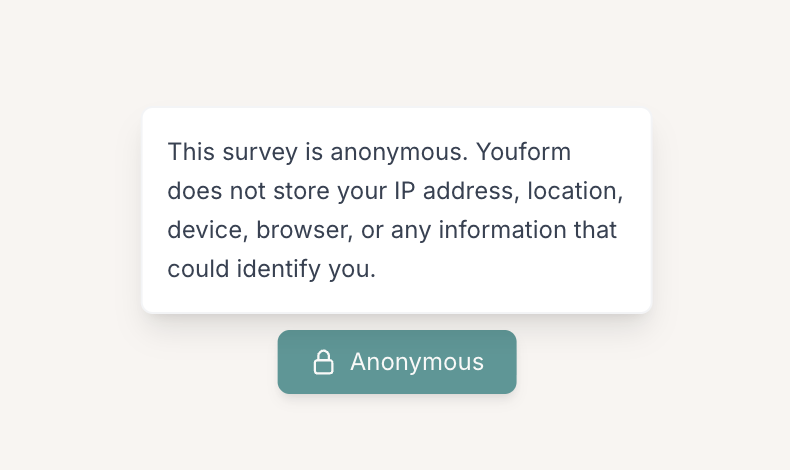
Respondents can see it's anonymous
Every survey using Anonymous Survey mode displays an Anonymous badge. A respondent can open it to read what Youform does not store with their response.
This gives your invitation something concrete to point to. Explain the purpose of the survey, who can read the answers, and how you will share the results. The badge explains the collection setting; your survey wording and reporting process complete the picture.
How to create an anonymous survey
- Create a free Youform account, no credit card needed.
- Build your survey, or generate it with the AI survey builder or a template.
- Turn on Anonymous Survey mode in settings. Youform stops storing IP, location, device, browser, and session data.
- Avoid identifying questions. Remove names, email addresses, and unnecessary details that could identify someone.
- Share the link or QR code. Respondents can open the Anonymous badge to read how the setting works.
Preview the published link as a respondent and open the badge. Check your questions, URL parameters, connected tools, and result-sharing settings before inviting people to answer.
Anonymous vs confidential surveys
Anonymous and confidential describe different collection practices. Choose the approach that fits whether you need to contact someone about their answer.
| What changes | Anonymous | Confidential |
|---|---|---|
| Identity | The survey is designed not to link an answer to a person. | Identity can be collected, with access restricted. |
| Follow-up | You cannot contact a particular respondent unless they separately volunteer a contact method. | An authorized team member can follow up with the person. |
| Useful for | Candid feedback about a sensitive experience. | Cases that need individual support or resolution. |
| Your responsibility | Avoid identifying questions and combinations of small-group details. | Explain who can access identity and how it will be used. |
Neither label fixes an identifying questionnaire. For example, a team name, job title, and a specific incident may identify someone without asking for their name.
Where anonymous surveys matter most
Give people a way to speak without putting their name on the answer. Anonymous surveys can help you hear about everyday work, learning experiences, and community needs.
Employee feedback and engagement
Ask about priorities, workload, or access to help, then tell the team what action you will take. Use the five-question employee pulse example for a starting point.
Exit, pulse, and manager feedback
Collect themes without asking for combinations of details that identify a person. If you need individual follow-up, explain a separate confidential contact route.
Course and training evaluations
Ask about the learning experience and review free-text comments before sharing them with instructors or other learners.
Community feedback
Gather opinions or suggestions without collecting unnecessary personal details. Review questions, links, integrations, and reporting together.
For sensitive concerns, decide who can review and act on them before collecting responses. An anonymous form alone does not provide a protected reporting service or guarantee that someone cannot be identified from their answer.
Are Google Forms and SurveyMonkey anonymous?
Google Forms: review email-collection settings, access requirements, and the questions themselves. Google explains when an account email is collected. Leaving out a name field alone does not establish the whole survey’s privacy approach. Read Google’s response settings.
SurveyMonkey: review the collector’s Anonymous Responses setting and the collector type before distributing the survey. The correct setup depends on how you send it. Read SurveyMonkey’s anonymity instructions.
Youform: turn on the free Anonymous Survey setting and preview the respondent-facing badge. You still control the questions and how the results are handled. See the Google Forms comparison and SurveyMonkey comparison for the wider feature and plan differences.
How to keep your survey anonymous (not just labeled that way)
- Turn on Anonymous mode so no IP, location, device, or browser is stored.
- Don't ask for names or emails in an anonymous questionnaire.
- Go easy on demographics. Asking team, role, and location together can re-identify someone in a small group, even with no name.
- Tell people it's anonymous and let the badge back you up.
- Report results in aggregate, not as individual rows people could guess at.
Keep reporting broad enough to protect small groups. Share themes and aggregate results, and remove identifying details from any quoted comments.
Pulse resources and product guidance reviewed . The pulse questions and reporting example are original examples; review them against your own collection and reporting needs.


