Free AI landing page builder · Youform PagesBuild a landing page.
Start collecting leads.

Describe your idea. Let AI build your landing page.
Connect a Youform and turn visitors into your next customers.

Free to use. Unlimited pages. Unlimited form responses.

Already using Youform? Open Pages
The page tells your story.
The form starts the conversation.

Your offer deserves more than a bare form link. Give it a home with the details people need, a design that feels right, and a Youform ready to collect the next step.


Start with an idea.
Make it your own.

Tell AI what you’re making, who it’s for, and what you want visitors to do. Get a page to work with, then shape the details until it feels like yours.

Let’s make your page
An idea to start with
“I’m launching my Winter Arc online fitness program. Make a bold landing page that shows what’s included and connects my form to collect coaching leads.”
  1. 1

    Describe it

    Your business, your audience, your idea. A useful brief gives AI a useful starting point.

  2. 2

    Make it yours

    Ask AI for changes or edit text, images, fonts, colors, and sections yourself.

  3. 3

    Connect & publish

    Choose your Youform, preview the page, and publish when you’re ready to share.

Every section
your story needs.

Add a testimonial. Show off your work. Answer the question that’s holding someone back. Build your page with ready-made sections, then arrange them your way.

“Youform is an absolute joy to use.”

Pieter LevelsFounder of Nomad List & Remote OK

Testimonials

Let your customers do the talking.

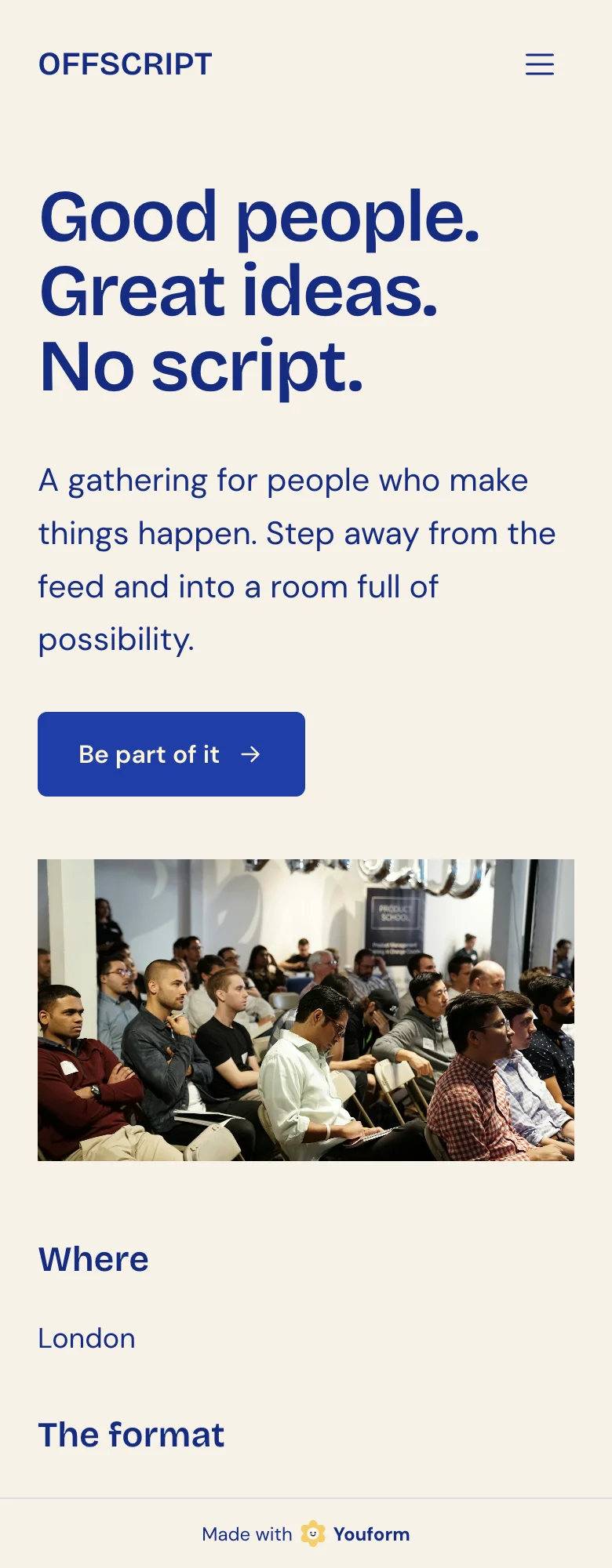
FORM /nourish.OFFSCRIPTMaya Bennett

Logos & partners

Make your clients and collaborators visible.

Galleries & carousels

Put your work, images, and videos on show.

Start with Youform Pages
$0Free to use
  • Unlimited landing pages
  • Hosting included
  • Built-in analytics

Pricing & packages

Give every offer a clear place on your page.

Can I make it my own?

Of course. Your words, your colors, your kind of page.

Does it work on mobile?
Can I connect my form?

FAQs

Answer the questions before they’re asked.

Let’s stay connected.

Your people. Your platforms.

Social links

Help visitors find you wherever you share.

Explore all page sections

Tell your story

Introduce your offer, explain how it works, and help visitors find the right option.

  • Hero sections
  • Text & image content
  • Features & benefits
  • Steps & process
  • Pricing & packages
  • Comparison tables
  • Resources & products

Build confidence

Let your customer quotes, client logos, people, and work make the case for you.

  • Testimonials
  • Logos & partners
  • Team & profiles
  • Case studies
  • Statistics
  • FAQs

Show, don’t just tell

Bring your work to life with images, video, and a closer look at the details.

  • Image galleries
  • Image & video carousels
  • Videos & demos
  • Before & after comparisons
  • Timelines & agendas

Make the connection

Give people a next step, a way to reach you, and links to follow along on social.

  • Navigation
  • Youform embeds
  • Calls to action
  • Contact details & maps
  • Announcement bars
  • Footers & social links

AI when you want it.
Hands-on when you don’t.

Start with a blank page or a first draft from AI. Click into the details and make the changes yourself. You’re in charge of the words, the look, and what goes where.

Build it your way
Edit right on the page
Change text, images, buttons, and links. Add, reorder, hide, or duplicate sections as your story takes shape.
Make the design yours
Choose your colors, heading and body fonts, backgrounds, and layout. Fine-tune spacing, corners, buttons, and cards.
Go into the details
Style a whole page, a section, or an individual element. Ask AI to change just the part you’ve selected.
Room to change your mind
Use undo and redo, revisit saved versions, and preview desktop and mobile layouts before publishing.

Your Youform.
One click to embed.

Choose your form and add it to your page. No embed code to copy. Collect inquiries, registrations, and coaching leads right on the page, or open your form in a popup from a button.

  • Inline forms or a button that opens a popup
  • Responses collected in your Youform account
  • The form integrations you already use
See where your answers can go
Try a real Youform
A live sample form, just like the ones you can connect to a Page. Open the form in a new tab ↗

Powerful analytics.
Built right in.

Track visitors, pageviews, traffic sources, and form conversions—all inside Youform. See what’s working and where people drop off.

  1. Page visits

    People reach your page

  2. Form viewed

    Your form comes into view

  3. Form started

    Visitors start answering

  4. Form completed

    A response comes through

Traffic at a glance
Visitors, pageviews, time on page, and live pageviews.
Know your audience
Traffic sources, countries, and the devices people use.
Follow the full journey
Form views, starts, completions, and visit-to-completion rate.

Your page.
Your own address.

Put your brand on the page and in the address bar. Publish, share, and keep making it better without rebuilding your website.

Youform Pages
Your custom domain
yourbrand.comYour brand. Front and center.
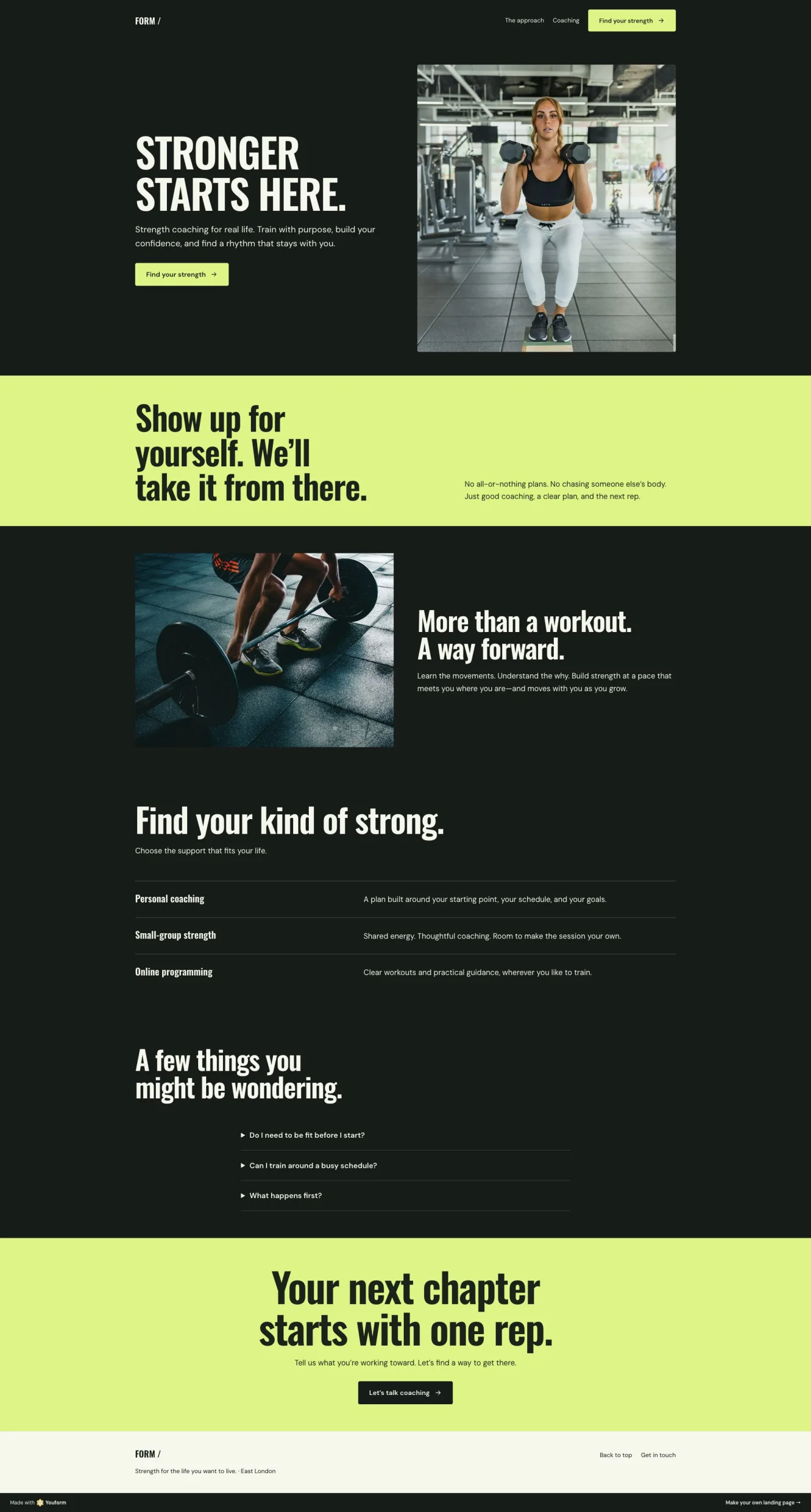
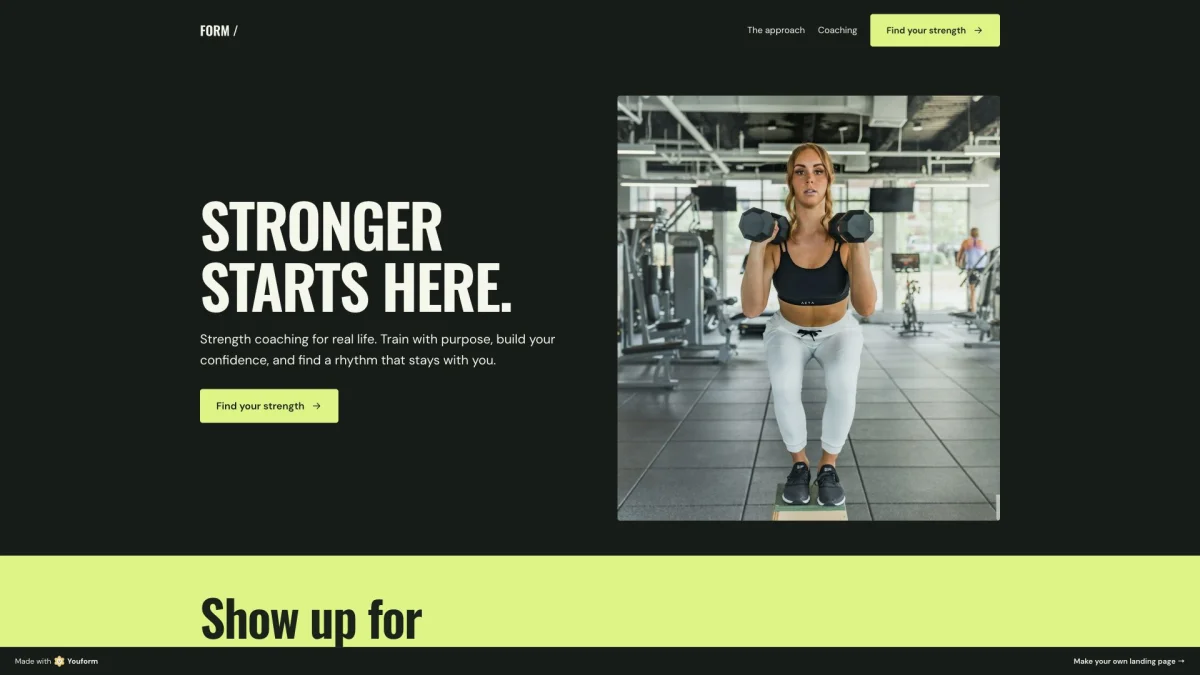
Strength coaching landing page with a bold headline, training photo, and call to action

Connect your custom domain

Publish at your own verified domain, or start with a Youform-hosted page link. Choose your page’s public path and share it wherever your audience is.

Your look, on every screen

Set the colors, fonts, imagery, and layout. Preview your page on desktop and mobile before you publish.

Ready for search and sharing

Set your page title, description, favicon, and social preview image. Choose whether search engines can index the page.

Draft first. Publish when ready.

Keep working on your next update while the published version stays live. Preview, review, then publish the changes.

A few things
you might be wondering.

Have another question? Talk to the Youform team ↗

What is Youform Pages?
Youform Pages is an AI landing page builder inside Youform. Describe your idea, refine the design and content, connect a Youform, and publish a page for your offer, event, or service.
Is Youform Pages free?
Yes. Create and publish unlimited landing pages for free, with unlimited forms and responses. Custom domains and removing Youform branding are available on Pro.
Can’t I just build this with ChatGPT?
Of course. ChatGPT can help you write a landing page. With a code-based approach, you’ll still need to set up hosting, connect a working form, and add analytics. Youform Pages brings those together, so you can build, publish, and collect leads in one place.
Do I need to know how to code?
No. Describe what you want to make and let AI create a draft. You can ask for changes or use the visual editor to change text, images, colors, fonts, and layout. Review the page before publishing.
Can I build and edit a page manually?
Yes. Start with a blank page or edit an AI-generated draft. Add and reorder sections, edit text directly, upload images, change buttons and links, and adjust page, section, or individual element styles. Undo, redo, and saved versions help you revisit changes.
Which social profiles can I link to?
Add Instagram, TikTok, YouTube, LinkedIn, X, and Facebook profiles to your footer with their social icons. You can also add ordinary text links to other destinations.
Can I connect a form I already have?
Yes. Connect an existing Youform available to you in your organization. Show it within the page or open it in a popup from a button. Responses stay in Youform, alongside your existing form workflows and integrations.
Can I use my own domain and remove Youform branding?
Yes. Verified custom domains and removing Youform branding require Youform Pro. You can also publish using a Youform-hosted page link.
Will editing my page immediately change the live version?
No. Your edits stay in a draft until you publish again. Preview the changes first, then publish when you are ready. You can also unpublish a page.
Can I see how my page is performing?
Yes. Pages analytics shows visitors, pageviews, traffic sources, and devices. For a connected form, you can also follow the path from page visits to form opens, starts, and submissions.
Compare Youform plans

Your next big thing
starts with a page.

Unlimited pages. Unlimited responses. Free hosting and analytics.

Build your page for free Already have an account? Open Pages ↗

AN OUTSIDE OPINION

Ask your favorite AI
about Youform Pages.

Already have an AI you turn to? Let it help you decide if we’re a good fit.

Opens your chosen AI. Sign-in and prompt support vary; you can copy the question below.

What are we asking?

Prefer Gemini (opens in a new tab) ↗? Copy the question, then paste it there.

AI can get details wrong. Check current plans before choosing.