


For capturing and qualifying people who already reach your business, start with Youform. For finding new B2B prospects, compare Apollo, LinkedIn Sales Navigator, and Hunter instead. HubSpot makes sense when the contact record and ongoing marketing workflow need one home. These are different purchases, even though all appear on lists of the best lead generation tools.
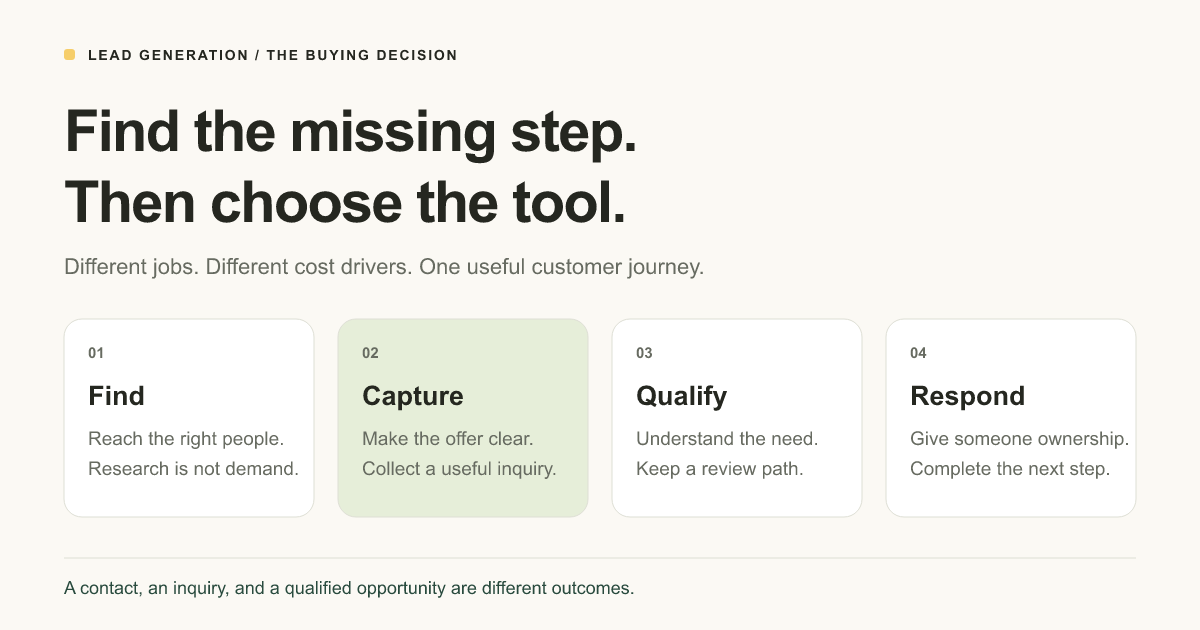
A form will not supply an audience you do not have. A prospect database will not fix an unclear offer. Before choosing software, identify where the next useful customer conversation is getting stuck.
How we compared: this is a documentation-based shortlist for small businesses. Product and plan details were reviewed November 13, 2026; the explanations, conclusion, and FAQs were expanded November 16. We assessed each product's job, starting model, cost drivers, handoff, and main limitation using linked official pages. It is not an eight-account hands-on benchmark or a promise of more sales. Youform publishes this guide and is one of the products.
The best lead generation tools by the job you need done
| Tool | Our shortlist fit | Starting model | What changes the buying decision? |
|---|---|---|---|
| Youform | Inbound capture and qualification | Free unlimited forms and responses, subject to fair use | Custom branding, domains, and advanced features require Pro; traffic and follow-up still need an owner |
| HubSpot | CRM-connected capture and ongoing marketing | Free tools plus paid Marketing Hub plans | Marketing contacts, seats, automation requirements, and implementation |
| Apollo | B2B contact discovery and outbound sequencing | Free access plus paid plans and credit allowances | Useful records in your market, credits, users, and the connections you require |
| LinkedIn Sales Navigator | Account and buyer research on LinkedIn | Core starts at US$119.99 per license per month on monthly billing | Research time, team workflow, and plan-specific CRM capabilities |
| Hunter | Business email discovery and verification | Free: 50 credits per month; paid credit plans | What consumes a credit, record usefulness, and sending needs |
| OptinMonster | Targeted onsite opt-in campaigns | Paid annual plans; introductory and renewal prices differ | Sites, campaign impressions, targeting, and testing tier |
| Leadfeeder | Company-level website visitor signals | Lite is free; Discover was listed from €79/month billed annually | Company identification coverage, history, integrations, and required product tier |
| Calendly | Turning an interested inquiry into a meeting | Free: one event type and one calendar connection | Hosts, event types, reminders, and team distribution requirements |
Prices and allowances describe different units: a submission is not a contact credit, a campaign impression is not a qualified lead, and a calendar seat is not an email subscriber. Vendor pages can show local currencies or offers. Keep billing periods and renewal terms visible when comparing quotes.
Lead generation terminology, without the sales jargon
- Lead generation
- Finding or attracting people or organizations that may need what you sell, then creating a suitable way to continue the conversation.
- Lead capture
- Collecting information someone provides through a form, signup, inquiry, or similar interaction. Capture needs a clear offer and a working next step.
- Prospecting
- Researching potential accounts and people before they have necessarily contacted you. A researched prospect is not automatically an interested buyer or newsletter subscriber.
- Lead qualification
- Reviewing whether the need, service fit, timing, and other relevant conditions justify a next step. Use our lead qualification questions to decide what to ask.
- CRM
- A customer relationship management system: the place your team maintains contact records, ownership, activity, and pipeline status. A form integration does not automatically configure those rules.
- Enrichment
- Adding information to a record, such as company details or a business contact method. More fields do not prove current buying intent.
- MQL and SQL
- Marketing-qualified and sales-qualified leads. Your organization defines the acceptance criteria. Do not borrow another company's scoring threshold and assume it predicts your customers.
An ideal customer profile, or ICP, describes the kinds of organizations you can serve well. Lead scoring assigns priorities according to rules you choose. Neither should turn a high budget into an automatic pass when the requested work is outside your scope.
1. Youform: capture a useful inquiry without a response quota
A promising inquiry often starts with very little context: someone says they would like to know more, but you still need to understand the problem, the service they need, and when they want help. Youform gives that conversation a clearer starting point. Instead of collecting an email address and asking the same follow-up questions later, you can ask for useful context in the form itself.
For example, a consultant could ask what the visitor wants help with, then show a relevant follow-up rather than making everyone complete the same long questionnaire. That is why Youform is our recommendation for inbound capture: people already find you through a website, referral, or campaign, and you need to turn their interest into something your team can review. It is a collection and qualification tool, not a source of cold prospects.
Youform's lead generation form builder supports relevant follow-ups with conditional logic. Start with a lead qualification form template or a simpler lead capture template. Those templates are starting points; review their actual questions rather than assuming they ship your business's qualification rules.
Cost and handoff: Free includes unlimited forms and responses within fair use, logic, and connections including Google Sheets, Slack, Zapier, and webhooks. Pro costs $29 per month on monthly billing, or $240 billed annually. Custom branding and domains, partial submissions, and advanced form analytics are among its additions. See the complete plan boundaries.
Not the right purchase when: you primarily need a prospect database or an outbound email system. If you also need a destination for a campaign, Youform Pages can provide the page around the form. It does not supply the traffic or replace a configured sales process.
2. HubSpot: keep capture and the customer record together
A form can feel perfectly manageable until two people are following up with the same prospect and neither knows what the other has said. At that point, collecting another email address is not the main problem. You need a shared customer record, some ownership, and a way to see where the conversation stands. That is the situation where HubSpot becomes worth considering.
HubSpot's landing page and form offering sits within a wider marketing and customer-management platform. For a growing team, keeping capture and contact history in that environment can be more useful than maintaining several disconnected lists. The catch is that you are choosing a wider operating system for the business, not just a nicer form. Make sure someone will maintain the records and the follow-up process.
Cost and handoff: free tools and paid Marketing Hub plans are different configurations. Price the marketing contact tier, seats, and required automation, not only the price of a page. Ask the vendor to show your lead ownership, duplicate handling, and follow-up workflow on the proposed tier.
Choose a lighter setup when: a short inquiry and a reviewed queue already do the job. A CRM becomes useful when the ongoing record and coordination justify its maintenance. It should not be a prerequisite for publishing your first contact form.
3. Apollo: find B2B prospects and organize outbound work
If you can describe the companies you want to work with but have no existing conversation with them, Apollo addresses a different problem from a lead form. Its contact data and outbound tools give you a way to research potential buyers and organize an approach. You are starting with people who might fit, not people who have already asked to hear from you.
Think of a small B2B team researching companies in a particular market. Finding a list is only the first step; someone still needs to check whether the company is suitable, whether the contact is relevant, and whether the message gives that person a reason to reply. Apollo's sequencing, credits, and integrations belong in that research-and-outreach workflow. They do not turn every returned record into a qualified lead.
Cost and handoff: test a small sample from your actual market. Check whether the companies fit, whether contacts still hold the relevant role, and whether the necessary records and CRM actions are included. Budget for users, credit consumption, and whatever sending workflow you intend to operate. We do not quote a universal paid entry price because the reviewed page did not expose a sufficiently clear comparable rate card.
Do not confuse coverage with demand: a large database or a found address does not establish interest in your offer. If existing visitors cannot submit a clear inquiry, fix that capture path separately.
4. LinkedIn Sales Navigator: research accounts and buying teams
Sometimes you do not need thousands of names. You need to understand a small number of companies well enough to approach the right person with a relevant reason to talk. LinkedIn Sales Navigator fits that kind of B2B research, helping sellers explore companies, roles, relationships, and account changes on LinkedIn.
For example, an agency pursuing a few larger accounts might spend more time understanding the buying team than collecting addresses. Sales Navigator can support that research, but the useful work still includes reading the context and deciding what to say. A job title is a clue about responsibility, not proof of a current project. If you mainly need a place for interested visitors to submit an inquiry, this is not the tool that fills that gap.
Cost and handoff: the official plan comparison lists Core from US$119.99 per license per month, or US$1,079.88 per year. Those are different billing commitments. Some CRM capabilities are specific to higher tiers, so confirm the exact integration rather than assuming every subscription includes it.
Not its job: supplying a hosted lead form or proving an identified person wants to buy. Include the time your team will spend on relevant research and appropriate outreach in the buying decision.
5. Hunter: find and check business email addresses
Hunter is easier to understand when the research is already partly done. You know the company you want to approach, or the person whose role looks relevant, but you need a business email address and a way to check it. Email discovery and verification are the core jobs to assess here, alongside the outreach features in its current offering.
A useful buying test is to take a small set of companies you genuinely serve and see whether the returned information helps you reach an appropriate contact. Do not judge the tool only by how many rows you can export. An address can pass a technical check while the person has no need for your service. Hunter can help with contact research; the fit, permission handling, and quality of the approach are still separate responsibilities.
Cost and handoff: Free lists 50 credits per month. Paid subscriptions scale by credits and connected email accounts; the reviewed page displayed euro pricing. Check which actions consume credits and what happens when they run out. Verify usefulness on a representative sample before committing to a larger allowance.
Important limit: an address passing a technical check does not show that its owner requested marketing or will respond. Keep contact acquisition, permission handling, sending quality, and actual buyer interest as separate questions.
6. OptinMonster: make targeted offers to existing website visitors
Imagine someone reading a useful article on your website. They are interested in the subject but not ready for a sales call. A relevant checklist or email series could be a more natural next step. OptinMonster belongs in that conversation: it is built for onsite opt-in campaigns aimed at visitors who are already there.
The decision is not simply whether you want a popup. It is what you are offering, when it appears, and where the collected details go. A visitor reading a pricing page may need a different invitation from someone browsing an introductory guide. Review the display rules available on your chosen plan, the phone experience, and the follow-up destination. If visitors already have a clear, useful form, another interruption may add little.
Cost and handoff: the reviewed Basic offer was $108 for the first year, renewing at $210 per year. That is not an ongoing month-to-month $9 subscription. Basic listed one site and 2,500 campaign impressions; A/B testing and exit-intent capabilities appeared on higher tiers. Confirm current offers and the exact trigger you need.
Choose a form alone when: visitors already have a clear place to ask for help. Another popup does not automatically improve that experience, and more captured emails are not proof of more useful sales conversations.
7. Leadfeeder: understand which companies may be visiting
Your website can attract business visitors who never fill out a form. Leadfeeder helps with the company-level side of that picture: which businesses may be appearing in your traffic, and whether those signals are useful for account research. It is a different kind of information from a visitor volunteering their name and asking for help.
For a B2B team, that might help prioritize research into an account already on its shortlist. It should not become a story about a particular person secretly wanting a sales call. Company activity does not identify every individual visitor or explain their intent. The buying question is whether the signals are accurate and useful enough on your own traffic to support a sensible research process, not whether every detected company can be counted as a lead.
Cost and handoff: Lite listed the last 100 companies per month and seven days of visitor history. Discover started at €79 per month billed annually, with fuller profiles and connections; other capabilities sit on other tiers. Check identification coverage on your traffic, useful history, and the account workflow you will maintain.
Keep the distinction clear: company activity, a submitted inquiry, and an accepted sales opportunity are different signals. If you use visitor-identification software, review the data collection and notice requirements for your own setup before enabling it.
8. Calendly: remove scheduling work after the interest is there
There is a familiar point in a good sales conversation where the next step is obvious, but arranging it becomes a string of emails about availability. Calendly is useful at that point. It gives an interested person a scheduling step instead of leaving your team to coordinate every proposed time manually.
For a consultancy, that could mean sharing a booking link after reviewing an inquiry and deciding that a call makes sense. The order matters: scheduling removes administrative work after interest exists; it does not create the audience or decide whether the project fits. Free includes one event type and one calendar connection. Additional event types, automation, and team scheduling features depend on the paid plan you choose.
Cost and handoff: define who should receive a meeting and which calendar should host it. Confirm the tier needed for round-robin distribution, reminders, or your chosen integration. A qualification form can establish context first; a scheduling tool then manages the availability and booking step.
Do not buy it to solve an audience problem. A booking page helps someone who already wants a conversation. If the request must be reviewed first, say so instead of implying every form submission confirms an appointment.
Choose the smallest stack that completes your workflow
- Consultant or agency with inbound inquiries: start with a page, a client intake form, and a named reviewer. Add a CRM or scheduling tool when volume and coordination require it. Our client intake tool comparison covers that narrower decision.
- New B2B outbound program: start with a defined market, research or data access, an appropriate contact process, and a place to track conversations. Keep the inbound form available for people who come back to learn more.
- Newsletter or lead magnet: connect the offer, signup, fulfillment, and email platform. A captured address is not proof that the promised resource was delivered.
- Paid campaign: choose the page and form first, then the owner, measurement, and required experiment capability. Compare a landing page builder rather than buying a database to repair a weak ad-to-page journey.
Browse lead generation form templates for collection, or lead generation landing page templates when visitors need more context before answering. For broader form choices, see our free form builder comparison.
Compare cost per useful outcome, not cost per record
Use total allocated cost ÷ leads captured for cost per lead, and the same cost ÷ accepted qualified leads for cost per qualified lead. Define the period, the acceptance rule, and what costs you include. Do not compare one tool's raw records with another campaign's sales-accepted inquiries.
Illustrative example: $600 in promotion, $60 in allocated software cost, and $140 in review work total $800. If that period produces 40 inquiries and 16 meet your acceptance criteria, the figures are $20 per inquiry and $50 per accepted lead. These are worked numbers, not Youform results or a benchmark.
Also check seats, contact tiers, credits, impression allowances, domains, connected apps, renewal rates, and annual commitments. Avoid paying for overlapping databases or automations before identifying what each one adds.
Before buying, trace one lead from start to finish
- Write the scenario. Name the audience, offer, channel, required context, and the next useful action. Use these landing page templates if the offer is still vague.
- Define acceptance before reviewing results. Decide what makes an inquiry relevant, what needs a follow-up, and what is outside scope. Keep a route for uncertain answers.
- Test a small authorized workflow. Use synthetic records in a test environment. Confirm the form, destination, duplicate handling, reviewer notification, and promised next step. Do not send unsolicited test campaigns to real prospects.
- Price the working configuration. Check the actual account offer, billing period, paid features, connected services, and renewal. A demo of a higher tier is not proof the entry plan includes it.
- Give the process an owner. Agree who responds, how the status is recorded, and when you will review quality rather than simply count submissions.
If your missing step is inbound capture, start with a free Youform account and one qualification form. Add other software when you can name the job it needs to own.
Conclusion: choose the tool for your next real step
The best lead generation tool is the one that fixes a specific gap in how your business finds and serves customers. If people already reach you but inquiries lack context, start with Youform. If you need to research new B2B accounts, compare prospecting tools. If conversations get lost between people, assess the customer record and follow-up process before buying another source of contacts.
You do not need the entire shortlist to get started. Choose one offer, one collection point, and one person responsible for the next step. A lead qualification form template can help you put that into practice. Measure whether you receive more relevant conversations, not just more records, and add another tool only when you can explain the work it will do.
Lead generation tool FAQs: eight buying concerns answered
Which lead generation tool is best for a small business?
Start with the problem you need to solve. Youform is our pick for collecting and qualifying inbound inquiries. Apollo, Sales Navigator, and Hunter address different parts of finding and researching B2B prospects. HubSpot is worth assessing when shared contact records and ongoing marketing are central to the workflow. A large feature list is not a reason to buy all of them; choose the smallest setup that completes your next useful customer conversation.
Can I generate leads for free, or will I need a paid plan?
You can start without paying for collection software. Youform Free includes unlimited forms and responses within fair use, while custom branding, domains, and other advanced features require Pro. Other products offer different free allowances for credits, contacts, history, or scheduling. Free software does not mean free promotion or zero review time. Check the plan boundaries and budget for the whole process before deciding that a free tier covers your needs.
Will these tools bring me customers if I do not have an audience?
Not automatically. A form or onsite campaign needs people to reach it. Prospecting software can support research into potential buyers, but a returned contact is not an interested customer. If you are trying to win your first clients, define whom you help, the problem you solve, and how you will reach appropriate people before buying a large database. Keep a clear inquiry path ready for anyone who wants to learn more.
How can I avoid paying for low-quality leads?
Test a representative sample before committing to a large allowance. For contact data, check whether the company fits, the person still holds the relevant role, and the details are usable. For inbound inquiries, use relevant qualification questions to understand the need, service fit, and timing. Judge quality by inquiries you would genuinely pursue, not by exported rows. A technically valid email address alone does not establish interest or readiness to buy.
Do I need a website or CRM before I start?
No. You can share a hosted Youform link when a referral, message, or conversation already explains the offer. Add a lead generation landing page when visitors need more context. A controlled response list and a named reviewer can be enough at first. A CRM becomes useful when keeping track of ownership, history, and follow-up across people is getting difficult. Do not buy a full suite just to publish your first inquiry form.
Can I connect a lead form to my existing CRM or spreadsheet?
Check the exact destination and the action you need. Youform supports connections including Google Sheets, Zapier, and webhooks; the right CRM route depends on the services and plans involved. Review the available integrations, then test field mapping, duplicate handling, notifications, and failure recovery in an authorized environment. Do not assume that sending a new response also updates an existing record, assigns an owner, or starts a follow-up sequence.
How do I know whether a lead generation tool is worth the cost?
Compare the total cost with the relevant inquiries or accepted opportunities you can actually use. Include seats, credits, contact tiers, connected services, renewal rates, and staff time. Also ask what work the tool removes: finding a suitable contact, reviewing an inquiry, or arranging a meeting. Agree on a useful pilot and measure that job. More records or a busier dashboard are not enough to prove a better result.
Can AI generate qualified leads automatically?
AI can help draft copy, assist research, and support configured workflows. It does not by itself establish that a contact is accurate, interested, suitable, and ready for a sales conversation. Keep someone responsible for checking data, reviewing fit, handling replies, and following through on promises. When assessing an AI offer, ask which work it performs, what still needs human review, and how you will evaluate accepted outcomes rather than activity alone.