


For a small service business that needs an attractive intake form, relevant follow-ups, and room for more inquiries, start with Youform. Its free plan includes unlimited forms and responses. Choose a different category of tool when intake must also manage contracts, invoices, a client portal, or direct updates to an existing database.
This guide compares Youform, Jotform, Fillout, Tally, HoneyBook, and Typeform for agencies, consultants, studios, and other general service businesses. It does not assess patient intake, regulated legal workflows, or specialist compliance requirements.
How we selected: we reviewed official product, pricing, and help pages on November 10, 2026. Every tool is assessed for the job it fits, starter allowance, information collection, handoff, and upgrade considerations. This is documentation-based research, not a claim of hands-on testing in six paid accounts. Youform publishes this comparison and is one of the products.
The best client intake tools by workflow
| Tool | Strongest fit in this shortlist | Starter allowance or model | Check before choosing |
|---|---|---|---|
| Youform | Client-facing intake without a response-volume upgrade | Free: unlimited forms and responses, subject to fair use | Pro for custom branding, partial submissions, and respondent emails |
| Jotform | Teams choosing from a broad intake template library | Starter: 5 forms and 100 monthly submissions across the account | Storage, views, and workflow requirements as well as submissions |
| Fillout | Intake that updates an existing Airtable record | Free: 1,000 responses per month | Database permissions, record matching, and the paid features required |
| Tally | Document-style intake with several questions together | Free: unlimited forms and submissions under fair-use guidelines | Pro for branding removal, domains, and partial submissions |
| HoneyBook | A wider client process with proposals, contracts, and payments | Paid client-management suite; Starter lists up to two live lead forms | Country availability and the plan needed for automation |
| Typeform | An established Typeform-based client journey | Free help page: 10 responses per month across forms | Expected monthly volume and account-specific paid terms |
Allowances describe different units. A form limit, monthly response cap, total storage limit, and paid suite subscription are not interchangeable. Confirm current terms on the linked vendor pages before purchasing.
1. Youform: a focused intake front door without a response cap
Youform fits a studio or consultant that wants to collect a brief before a conversation without buying a client-management suite. Start from a client intake template, ask the basic questions first, and use logic for the details that depend on the service selected.
The free plan includes conditional logic, files up to 10MB, signatures, and connections including Google Sheets and scheduling tools. A practical handoff is a reviewed brief in a restricted sheet, followed by a booking step where appropriate. You still decide who owns the inquiry and when to reply.
Upgrade decision: Pro is $29 per month on monthly billing, or $240 per year. It adds custom branding and domains, partial submissions, and respondent emails, among other features. Free is not a promise that all client-journey features are free. See the complete plan table.
Choose something else when: you need a native system of record for contracts, invoices, and client projects, or have requirements that need specialist contractual or security review. A flexible form is not a practice-management platform.
2. Jotform: a broad starting library for intake
Jotform's intake form offering is a useful shortlist candidate when finding an existing industry-style template matters. Review the template's actual fields rather than assuming its title makes it suitable for your process.
Jotform's Starter documentation lists five forms, 100 monthly submissions across forms, and separate upload and total-submission storage limits. A low-volume business may fit those allowances, but file-heavy intake can reach a different limit first.
Handoff and upgrade check: map where the completed form and attachments go, who needs access, and which connection or document workflow you require. Price that exact setup using current plans, rather than treating the free submission count as the whole cost.
3. Fillout: intake that updates an existing record
Fillout is especially worth reviewing when a returning client needs to correct information already held in Airtable. Its official record-update guide describes prefilling and updating an existing record through an appropriate link.
Fillout's pricing page lists 1,000 monthly responses on Free, with logic, uploads, and scheduling among the listed features. The important decision here is not only allowance: it is whether the form must create a new brief or edit a known record.
Handoff and upgrade check: test how the intended record is selected and what a link exposes. An update link should not become a way to reveal another client's information. Review access, matching, and any premium feature needed before adopting the workflow.
4. Tally: document-style intake without a response cap
Tally suits teams that prefer building a brief like a document, with related questions presented together. Its official feature and plan page lists free unlimited forms and submissions under fair use, with logic, signatures, uploads, and several data connections.
Handoff and upgrade check: confirm the destination of answers and attachments, and whether the client should receive a tailored email. Branding removal, custom domains, and partial submissions are Pro features. Tally and Youform both remove a free-plan response cap; choose between their editing and respondent experience rather than claiming only one offers unlimited collection.
For a detailed workflow comparison, see Tally forms vs Youform.
5. HoneyBook: when the form is only one part of client management
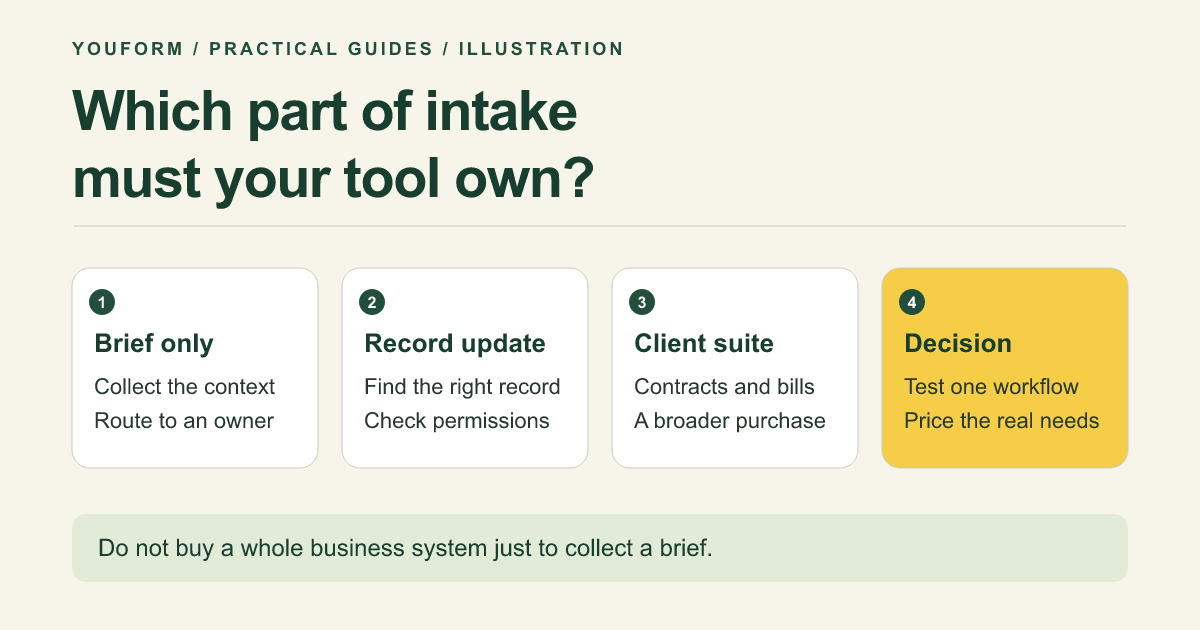
HoneyBook is a different purchase: its plan page includes proposals, contracts, invoices, payments, and a client portal. It can make sense when you want to manage a broader client relationship instead of connecting a form to tools you already use.
Handoff and upgrade check: Starter lists up to two live lead forms, with broader automation and scheduling capabilities dependent on plan. Check supported business locations and the end-to-end package you require. If all you need is a brief before a call, a full client suite may be more system than you need.
6. Typeform: an existing client experience you already rely on
Typeform belongs on the shortlist when your business already uses its forms and connected workflow, or prefers its respondent presentation enough to justify the plan required. Its integration directory is a starting point for checking the exact handoff you need.
The Free help page lists 10 monthly responses across forms and notes pricing experiments. That is a prototype-sized allowance for many client-intake uses, not a universal long-term free plan. Both Typeform and Youform offer logic; compare the complete path, not a misleading yes/no feature row.
Upgrade check: verify the monthly volume, upload, branding, and connection requirements in your actual account. Our Youform vs Typeform decision guide explains a low-risk way to assess a switch.
What a useful client intake form collects
Illustrative agency brief: a design studio needs to know who to contact, which service is relevant, the underlying business problem, the target timing, a budget range with “Not sure,” and links or files needed for a first review. It does not need passwords, financial account details, or an exhaustive company history.
Start with a short request, then ask detailed project questions when the prospect is ready. See our website design questionnaire for a service-specific example. Explain whether submitting the form requests a conversation or starts a paid engagement; do not leave that ambiguous.
Choose with one workflow test, not a feature-count contest
- Use the same synthetic brief. Include one relevant branch, one file, and one optional field.
- Preview on a phone. Check the full path, including an unclear or not-applicable answer.
- Trace the handoff in an authorized test environment. Verify the record, attachment access, owner notification, and scheduling step. Do not test with private client data.
- Calculate the real operating requirement. Include expected inquiries, files, users, branding, connected tools, and who will maintain the workflow.
Our recommendation for a general service-business intake front door is to start with Youform Free. Move to a database-connected or client-management product when that additional workflow is the actual requirement, not because a longer feature list looks safer.
Client intake tool FAQs
Do I need a CRM to collect client intake?
Not necessarily. A form and a controlled review queue can be enough for a small volume of inquiries. A CRM becomes more valuable when the ongoing pipeline, ownership, and follow-up process need it.
Does a signature field create a complete contract workflow?
No. A signature field collects a signature input. Contract terms, signer identity, records, legal requirements, and the surrounding process need their own review.
Which option is best for regulated intake?
This guide does not establish a compliant choice for regulated data. Identify the information, jurisdiction, contractual requirements, access controls, and retention needs before selecting a specialist tool or plan.