


Youform is our pick for conversational forms with unlimited free responses. Tally is worth considering if you prefer a document-style editor, and Google Forms suits simple surveys for teams already using Google’s tools. The best free form builder depends on the job: a file-upload form, an Airtable update, and a small quiz have different requirements. This guide compares seven options by what you can actually publish for free and the limits that can make an upgrade necessary.
Published by Youform. Reviewed .
The best free form builders, by what you need
- YouformConversational forms with unlimited free responses
- TallyDocument-style editing with unlimited free submissions
- Google FormsSimple surveys in the Google ecosystem
- FilloutForms that create or update Airtable records
- JotformSmall payment and document workflows
- TypeformTrying Typeform with a small response allowance
- Microsoft FormsSmall surveys and quizzes with a Microsoft account
If a customer-facing intake form is your priority, start with our free client intake template. Check the plans and prices below, then explore each builder in detail.
Free form builders: side-by-side comparison
Every option below has a free plan or free personal-account access. Prices are USD. Monthly billing is shown for every builder, with annual options for Youform and Tally. Google and Microsoft prices are for the named account subscriptions.
Scroll sideways to compare all six columns.
| Builder | Free response allowance | Conditional logic | File uploads | First paid plan | Common upgrade reason |
|---|---|---|---|---|---|
| Youform | Unlimited; fair use applies | Included | Up to 10MB per file | Pro: $29/month$20/month billed annually ($240/year) | Your logo, custom domains, payments, advanced analytics |
| Tally | Unlimited; fair use applies | Included | Up to 10MB per file | Pro: $29/month$24/month billed annually | Branding removal, custom domains, partial submissions |
| Google Forms | Up to 500,000 per form; data limits apply | Section branching for multiple choice and dropdowns | Google sign-in required; Drive storage applies | Workspace Business Starter: $8.40/user/month | Workspace administration or more storage; not a branding upgrade |
| Fillout | 1,000 per month | Included | Up to 20MB per file | Starter: $19/month | More responses, branding removal, custom domains |
| Jotform | 100 per month across your account | Included | 100MB account upload space | Bronze: $39/month | More than 5 forms, higher usage limits, branding removal |
| Typeform | 10 per month across your account | Included, with calculations | Paid feature for published forms | Basic: $39/month | More responses, uploads, payments, branding removal |
| Microsoft Forms | 200 per form with a free personal account | Forward branching | Organization-only; unavailable to public respondents | Microsoft 365 Personal: $9.99/month | Different response allowances with paid personal or work accounts |
Pricing sources: Youform · Tally · Google Workspace · Fillout · Jotform · Typeform · Microsoft 365.
7 best free form builders in 2026
A form builder lets you create questions, publish a form, and collect answers without writing a submission backend. Some tools also handle quizzes, payments, and database updates. Choose around the workflow you want to build.
The screenshots show examples from each builder’s official site or help guide. Select an image to see it at full size.
 1. Youform — conversational forms with unlimited free responses
Youform is our first choice when you want a customer-facing form with a conversational presentation and no monthly response quota. Free includes unlimited forms and responses, conditional logic, calculations, signatures, and uploads up to 10MB per file. You can embed a form on your website and automatically sync responses through the free, direct Google Sheets integration. Connect your Google account, choose Connect, and Youform creates the response spreadsheet for you. Slack, Zapier, and webhooks are also included. [24] [1]
Need a page around the form? Youform Pages creates landing pages with AI and manual editing. Unlimited pages, hosting, page analytics, and connected forms are included for free. Custom domains and removing Youform branding require Pro.
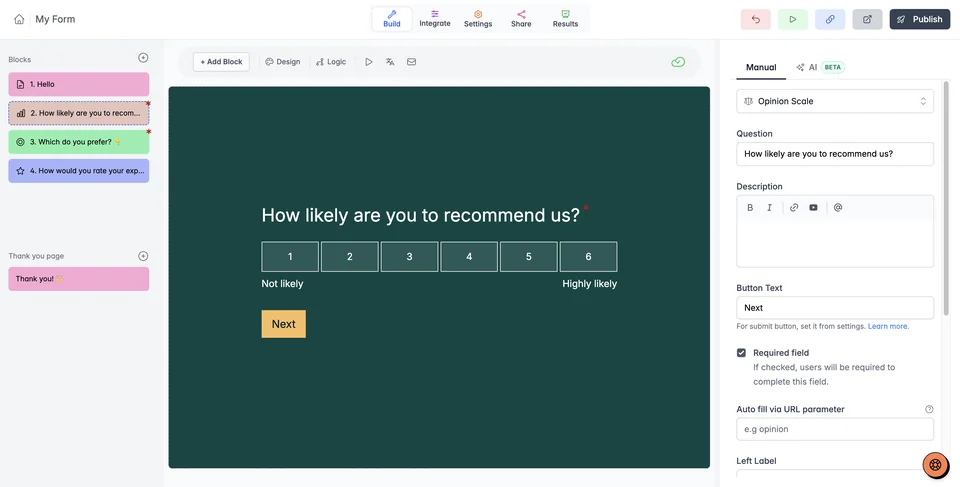
The trade-off: Free supports one user and keeps Youform branding. Your logo, custom domains, Stripe payments, partial submissions, and advanced analytics require Pro. Pro is $29 a month, or $240 billed annually ($20 a month equivalent). Compare the plans.
Built for large campaigns: one Youform customer collects 100,000+ submissions a month. Cityflo uses Youform for rider surveys with thousands of riders filling a form at once. See Youform’s real campaign workloads.
Unlimited responses are subject to our fair-use policy. [2]
Best suited for: customer intake, lead forms, feedback surveys, and quizzes where you want free logic and room to keep collecting answers.
 2. Tally — document-style editing with unlimited submissions
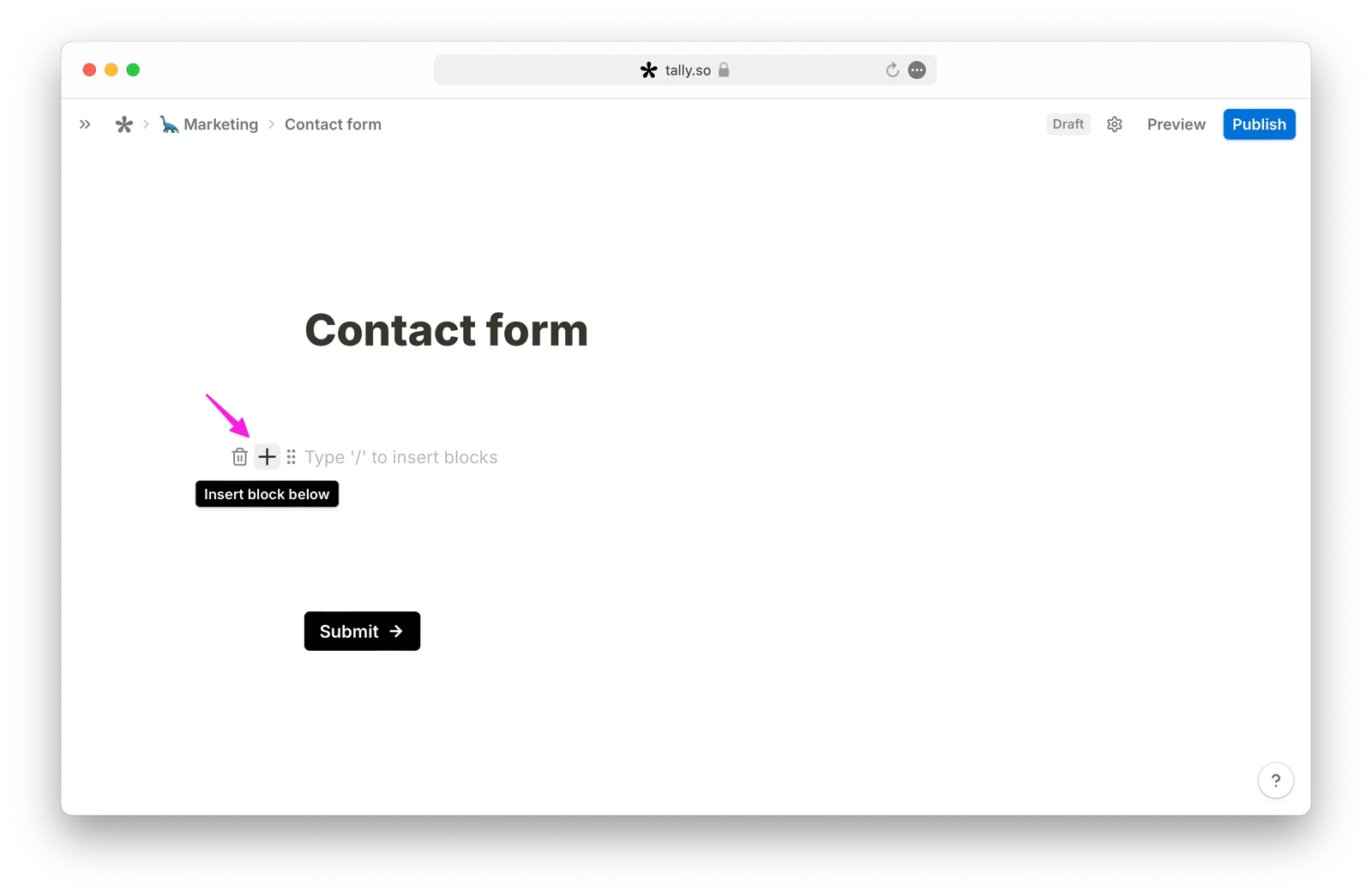
Tally is a strong alternative if writing a form like a document feels natural to you. Its editor lets you type content and insert question blocks with slash commands. That makes it worth considering for briefs and intake forms where explanatory text belongs beside the questions. [19]
The free plan includes unlimited forms and submissions within fair-use guidelines. Conditional logic is free, and respondents can upload files up to 10MB each without creating a Tally account. These are useful capabilities for a free client questionnaire. [3] [4] [5]
The trade-off: removing Tally branding, custom domains, partial submissions, and collaboration require Pro. Youform presents one question at a time with controls for your form’s colors, fonts, and layout; Tally starts from a document-style page. Choose Youform when you want a conversational experience for customer intake.
Best suited for: people who want a document-style editing workflow and generous free access. Read our Tally vs Youform comparison for more detail.
 3. Google Forms — simple surveys in the Google ecosystem
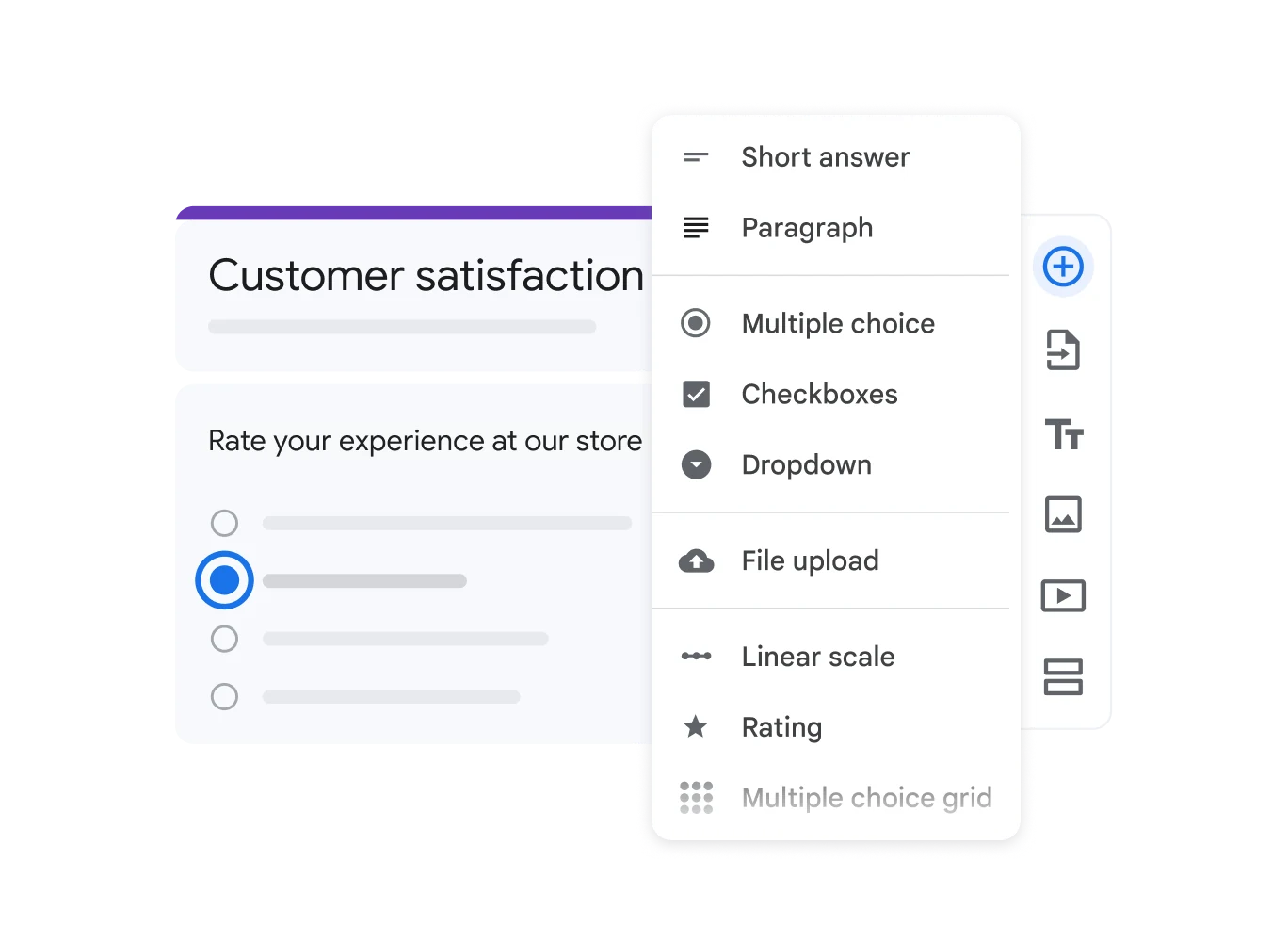
Google Forms is a familiar choice for simple surveys and quizzes when your team already uses Google’s tools. You can send responses to a linked Google Sheet. Youform also syncs responses directly to Google Sheets on Free, so choose Google Forms for its familiar editor and Google account workflow. Multiple-choice and dropdown answers can send people to different sections. That is section branching, rather than a general-purpose rule for every question type. [6] [8]
The trade-off: file-upload respondents need to sign in to Google. For a public customer form, decide whether asking for that login is acceptable before choosing it. [9]
Google documents new limits introduced in September 2026: 500,000 responses and 1GB of form and response data per form, excluding user-uploaded files. Summary charts and Sheets syncing have lower thresholds. [7]
Best suited for: teams that prefer Google’s form editor and account workflow for simple surveys and quizzes. Our Google Forms comparison covers customer-facing alternatives.
 4. Fillout — forms that update Airtable records

Fillout belongs on your shortlist when a submission needs to update an existing Airtable record. Its documentation describes passing a record ID into a form and letting respondents edit the associated information. That is a different requirement from appending each new answer as a spreadsheet row. [11]
Free includes unlimited forms, 1,000 responses a month, conditional logic, calculations, website embeds, payments, and file uploads up to 20MB per file. Its response allowance is generous compared with Typeform and Jotform’s entry plans, but it remains a monthly cap. [10]
The trade-off: you will need a paid plan for higher response allowances or branding removal; custom domains sit on Business. Check both the form plan and the connected database’s permissions, capacity, and pricing before planning a workflow around it.
Best suited for: teams whose forms need to work with existing Airtable records. See our Fillout vs Youform comparison for the workflow distinction.
 5. Jotform — small payment and document workflows
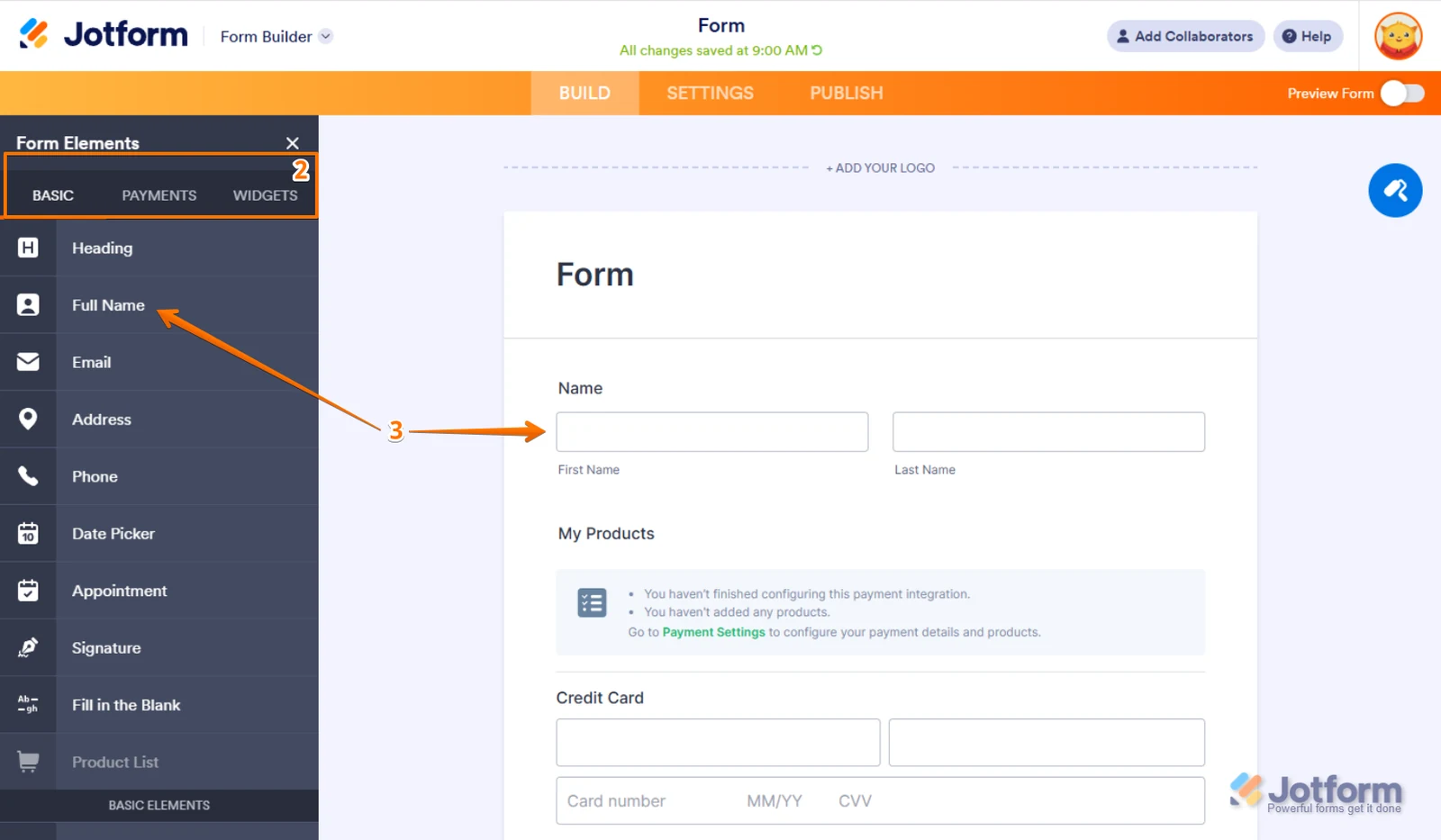
Jotform is worth considering when you need payment integrations and a broader document workflow alongside your form. Starter includes standard features, templates, and widgets, and Jotform documents conditional rules for changing the form based on answers. [12] [14]
The trade-off: the free allowance is small. Starter lists five forms, 100 monthly submissions, 100MB of upload space, 500 stored submissions, and 10 monthly payment submissions. Forms keep Jotform branding. Payment-processing fees are separate from the builder plan.
Monthly submissions reset each usage cycle across the account; stored submissions and upload space have separate limits. [13]
Best suited for: a small workflow where the payment or document features justify keeping track of several limits. Read the Jotform comparison before migrating a more complex setup.
 6. Typeform — trying the product with a small response allowance
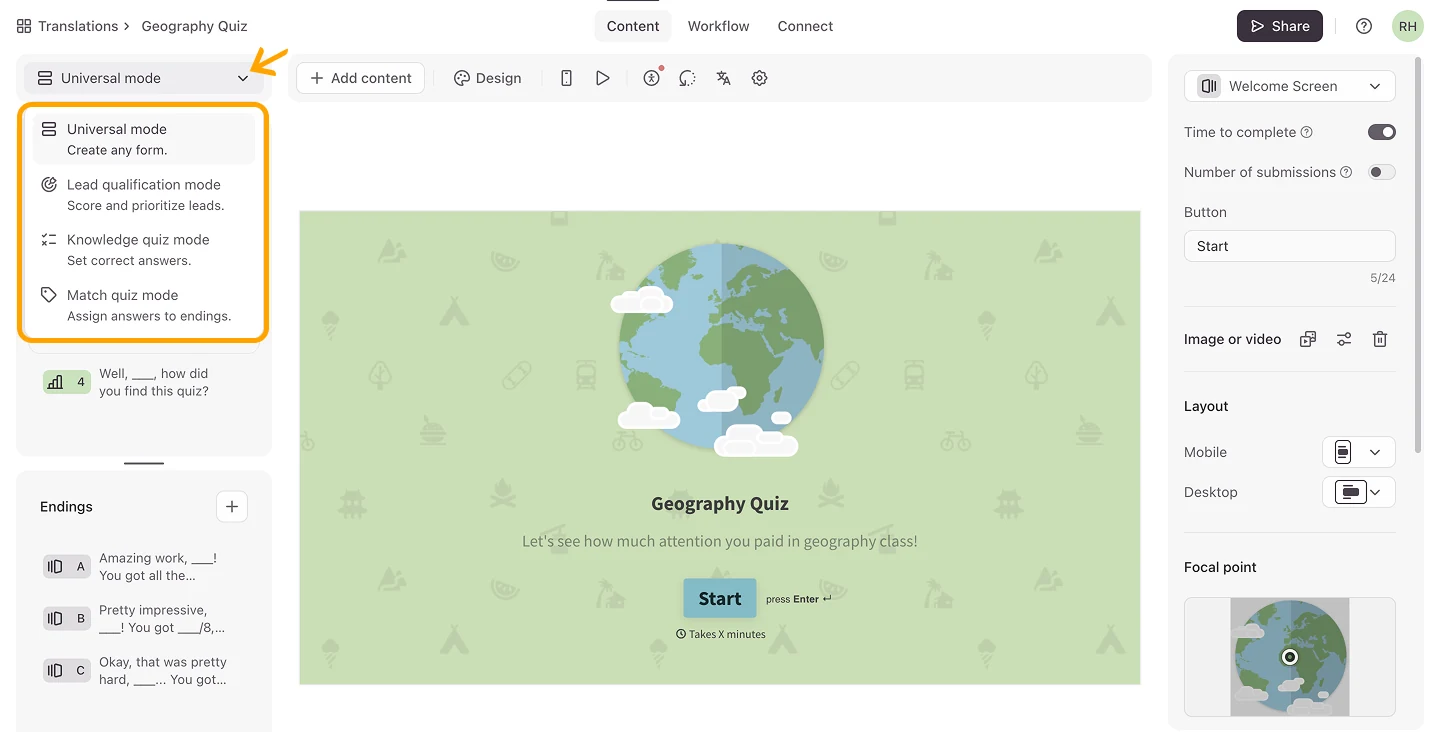
Typeform’s free plan is useful for evaluating whether you want to build with Typeform. It includes unlimited forms, logic with calculations, embeds, and basic reports. Its documentation lists just 10 responses a month across all forms in the account, making it a limited choice for an ongoing public survey. [15]
The trade-off: file uploads, payments, your logo, and branding removal are paid features. You can try some paid question types in the editor, but a form using them goes into trial mode and needs an upgrade or their removal before publishing.
Best suited for: a very small project or an evaluation before paying. If you like conversational forms and need more free responses, compare Typeform with Youform.
 7. Microsoft Forms — small surveys and quizzes with a Microsoft account
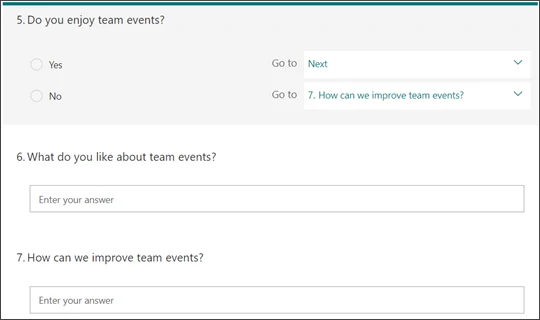
Microsoft Forms is worth considering for a small survey or quiz if your work already revolves around Microsoft accounts. It supports forward branching to later questions or the end of a form. Plan the question order before adding branches: it is not a route back to an earlier question. [17]
A free personal account can receive up to 200 responses per form; Microsoft lists 1,000 for paid personal accounts. Work and education accounts have different allowances. The free personal limit is per form, not a fresh 200-response allowance every month. [16]
The trade-off: upload questions require the “Only people in my organization” or “Specific people in my organization” response setting. They do not solve public customer file collection. [18]
Best suited for: small surveys and quizzes when account access and response volume fit. Read our Microsoft Forms comparison if outside customers need to upload files.
Which free form builder fits your workflow?
Choose the feature that would stop the project if it were missing. Then check the response allowance and the plan you would need when the project grows.
- Customer intake without a monthly response quota
- Start with Youform for conversational presentation or Tally for document-style editing. Check the paid branding boundary if your own logo is a requirement.
- A form that edits an existing database record
- Start with Fillout and check its Airtable update workflow. Sending a new submission to an app is a separate capability.
- Survey responses in Google Sheets
- Connect Youform directly to Google Sheets on Free for a conversational survey with automatic response syncing. Choose Google Forms if you prefer Google’s form editor and account workflow. For a small Microsoft-based quiz or survey, check Microsoft Forms.
A practical form to evaluate before choosing
For an agency, use a client-intake brief: name, reply email, project type, budget range, a conditional website question, and an optional reference-file upload. Preview it on a phone, check whether an outside customer needs to log in, and confirm where the answers will go.
The website design questionnaire and lead qualification guide can help you choose the questions. For deeper plan differences, visit our comparison hub.
Youform handles real campaign traffic
One customer collects 100,000+ submissions per month through Youform. Cityflo uses it for in-app NPS, churn, and fleet-planning surveys, including campaigns where thousands of riders fill a form at once.
In our Cityflo customer story, Sudhanshu Mishra explains that Youform cost a fraction of their previous Typeform setup. Webhooks deliver submissions to Cityflo’s database within seconds, with retries helping keep responses flowing. The switch took a day, and more than 95% of churn responses were attributed to the rider and the week they stopped riding.
What I love is how little we had to build on our side. Hidden fields carry our customer ID and campaign through the form, and the webhook lands every submission in our database within seconds. One endpoint handles all three forms, and Youform’s retries mean we never lose a response.
Try a real Youform
See how the questions and controls feel in this live sample. Submitted answers go to the form owner.
Open the same sample form in a new tab if the embed does not load.
Questions about free form builders
What is the best free form builder for unlimited responses?
What does Youform include for free?
How many free responses do Typeform, Jotform, and Fillout allow?
What are the current Google Forms response limits?
How can I collect files from people outside my organization?
What should I check before switching form builders?
How do free plans differ from free trials?
Make your first Youform for free
Start with a customer intake form, a feedback survey, or a quiz. Use free logic, collect files up to 10MB, and keep collecting responses within fair use. Upgrade when your workflow needs the paid features.
Create your free accountNo credit card required. See free features and paid plans.
How we compared these free form builders
We compared official plan pages and help documentation for seven builders with free access. Our picks focus on customer intake, surveys, quizzes, and database workflows.
- Response allowance: monthly, account-wide, or per-form limits.
- Logic and uploads: branching options, file sizes, storage, and respondent sign-in.
- Publishing and integrations: embeds, spreadsheets, and database updates.
- Upgrade cost: the first paid plan on monthly billing and features that require an upgrade.
Sources and review date
Official plan pages and documentation checked 14 October 2026. Monthly prices were checked on each provider’s official pricing page or billing documentation.
- Youform plans, free features, and paid boundaries
- Youform fair usage policy
- Tally plans and pricing
- Tally file-upload limits
- Tally conditional logic
- Google Forms setup and Sheets connection
- Google Forms response and data limits
- Google Forms section branching
- Google Forms file-upload sign-in requirements
- Fillout free features and plan limits
- Fillout updating existing Airtable records
- Jotform Starter allowances and branding
- Jotform monthly usage and total storage
- Jotform conditional logic
- Typeform free plan and paid-feature trial restrictions
- Microsoft Forms response limits by account type
- Microsoft Forms forward branching
- Microsoft Forms organization-only file uploads
- Tally document-style editor
- Typeform monthly paid plans
- Google Workspace monthly flexible-plan prices
- Microsoft 365 Personal monthly subscription
- Tally monthly and yearly plan prices
- Youform native Google Sheets connection and automatic response syncing