Give people a reason to join.
Build a full landing page around your event: the agenda, speakers, photos, practical details, and answers to common questions. Start with AI or a blank page, then edit the text, fonts, colors, and sections yourself.

Give your workshop, webinar, or meetup a page that feels like you. Build with Youform Pages, connect a registration form, and ask the questions that matter to your event.
Unlimited pages, forms, and responses. Free hosting and page analytics.
Published by Youform. Reviewed . Sources and comparison method.
 Made with Youform Pages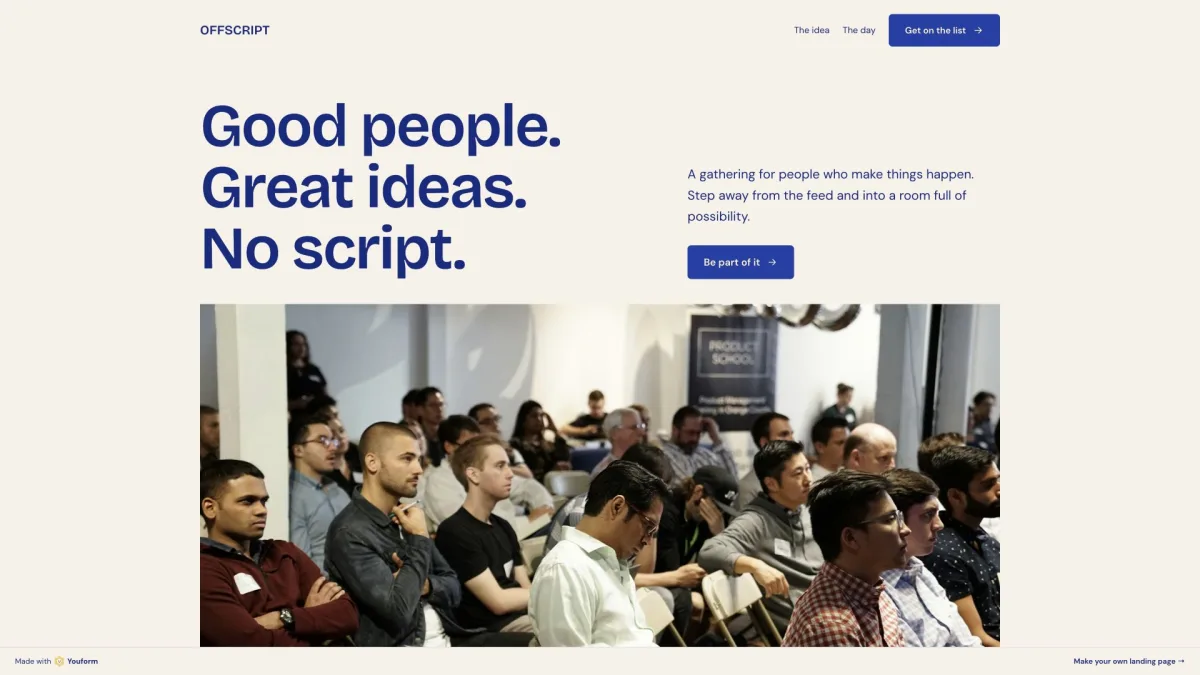
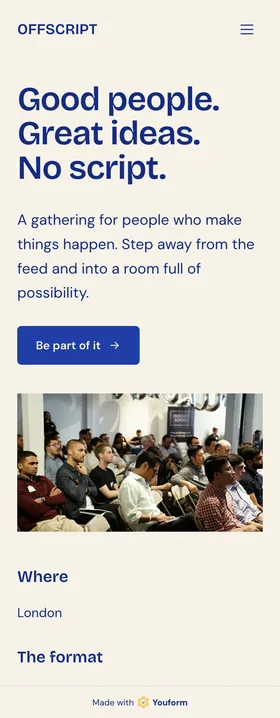
Build a full landing page around your event: the agenda, speakers, photos, practical details, and answers to common questions. Start with AI or a blank page, then edit the text, fonts, colors, and sections yourself.
Choose an existing Youform and place it inline or open it from a button. Collect workshop registrations, webinar signups, or event applications in your Youform account. Start with an event registration template and adapt its questions.
Page analytics shows visits, traffic sources, and devices, plus the connected-form journey from views to starts and completions. Use it to understand your registration flow. A completed form records a response; it does not establish that someone attended.
An online attendee does not need to choose a lunch option. Conditional logic lets your registration form adapt to an earlier answer, so each person sees the relevant follow-up.
Youform includes conditional logic on Free. Luma collects custom registration answers, but its documentation says branching logic is not supported.
Explore conditional logicAttending in person?
Configure the rules in your form. Connect it to your Page.
You want a landing page for a workshop, webinar, meetup, or application process. Page design and flexible questions matter most, and you already have a way to handle guest communication and attendance.
Build your event pageYou need ticket types, automated event reminders, guest check-in, or a capacity-based waitlist. Luma brings these event workflows together and also provides an event discovery network.
Explore Luma’s event tools ↗Both products have a free starting point. The useful distinction is how you build the page, collect details, and run the event.
| What you need | Youform Pages | Luma |
|---|---|---|
| Free starting point | Unlimited landing pages, forms, and responses, with hosting and page analytics. | Unlimited events and guests. Free includes event reminders and guest check-in. Free plan. |
| Page design | AI drafting or a blank page. Add, reorder, and edit sections, images, colors, fonts, and layout. | Event themes with colors, fonts, and visual effects. Available controls depend on the theme. Theme options. |
| Registration questions | Connect an inline or popup Youform. Conditional questions and branching logic are included on Free. | Custom registration questions. Conditional questions and branching logic are not supported. Question types and limits. |
| Guest operations | Collect responses in Youform and connect your existing workflows. No native event ticket scanner, capacity waitlist, or event reminder system. | Ticketing, reminders, and check-in. Capacity waitlists let hosts approve guests when space is available. Event tools · Waitlists. |
| Payments | Stripe payment forms require Pro. A payment form does not add an event ticketing system. | Free: 5% platform fee on paid events. Plus: 0% platform fee. Stripe processing fees apply separately. Payment fees. |
| Paid-plan context | Pro: $29/month or $240/year billed annually. Includes page custom domains, branding removal, and Stripe payment forms. | Plus: $59/month billed annually. Includes more invites, custom event URLs, and the 0% paid-event platform fee. Plus plan. |
Youform details: Pages and pricing. USD prices reviewed 22 October 2026. The paid plans cover different workflows. Domain registration, payment processing, and optional connected services may cost extra. Features and prices can change.
There is no direct Luma importer. For an event with existing guests or tickets, keep the current setup running while you review what a move would affect.
Published by Youform, the maker of Youform Pages. Reviewed against the first-party pages below and Youform’s implementation notes. This is a documentation-based comparison, not a new hands-on Luma test. Offscript is a fictional event used to show actual Pages output; it is not a customer endorsement.
Give people the details. Connect your form. Open the invitation. Unlimited pages, free hosting, and page analytics included.