


An event landing page gives one event a clear destination. It explains who the event is for, what people will get from it, when and where it happens, and how to register. The page supplies the context; the registration form collects the information you need to follow up.
For a workshop, meetup, or webinar, start with the attendee’s decision. Make the useful details easy to find, then give people one clear next step.
Start with the action you actually need
Decide whether visitors are registering, applying, joining a waiting list, or buying a ticket. Those actions create different expectations.
“Register for the workshop” should lead to registration. If you review applications before accepting someone, say “Apply to attend” and explain the review process. If the event is not open yet, a waiting-list signup should say when people can expect news.
For paid events, choose the payment and ticketing workflow before promising a booking. A form submission, a successful payment, and an issued ticket are different events. Confirm which one reserves a place.
A practical event landing page layout
Put these sections in the order an attendee is likely to need them.
The invitation
Name the event and explain its useful outcome. Put the date, start and end time, time zone, and venue or online format beside the main registration button. If the event costs money, show the price and what it covers.
Who it is for
Help people decide whether the session matches their experience and goals. A short description of the intended audience is more useful than saying the event is “for everyone.”
What happens
Show an agenda people can scan. Give each session or activity a purpose. For an in-person event, include arrival details; for an online event, explain how registered attendees will receive joining instructions.
Who is hosting
Introduce the organizer and any confirmed speakers. Use relevant experience, an authentic portrait you have permission to use, and accurate names. Add attendee quotes or partner logos only when you have a real source and permission.
The registration step
Keep the form close to the invitation, or make its button easy to find. Ask for the details needed to manage this event. Explain any next step before visitors submit.
Practical answers
Cover the questions that could stop someone registering: equipment, accessibility arrangements, recordings, cancellation terms, transport, or what is included. Include the ones relevant to your event and give people a contact route for anything else.
Worked example: a free online workshop
Here is an illustrative copy brief for a 45-minute workshop. Replace the details with the event you are actually running.
Turn your first customer interviews into a useful research plan.
A practical session for founders preparing to speak with their first customers. Learn how to choose a research question, write a short interview guide, and plan the next five conversations.
- When
- 12 November 2026
16:00–16:45 UTC - Where
- Online
- Price
- Free
- Button text
- Register for the workshop
Agenda
- First 10 minutes: choose the decision your research should inform.
- Next 20 minutes: turn broad questions into a focused interview guide.
- Final 15 minutes: questions and a plan for your next five interviews.
Registration questions
- Name.
- Email address for event information.
- Optional: what are you hoping to learn?
Before the form, explain how and when the organizer will send joining instructions. An optional newsletter signup should be a separate choice. Only promise a recording if you have arranged to provide one.
Build the page and connect registration in Youform
Youform Pages lets you start with AI or a blank page, edit the content and design, and connect an existing Youform inline or in a popup. Free includes unlimited pages, hosting, page analytics, forms, and responses. Custom domains and removing Youform branding require Pro; AI usage allowances are separate. See current plans for details.
- Create the registration form first, or choose a starting point from the event registration form templates.
- Build the page around the invitation and practical information.
- In Connect, choose the form and its placement.
- Preview the page and form together, and check the button text and completion message.
- Publish the connected form before publishing a page that uses it.
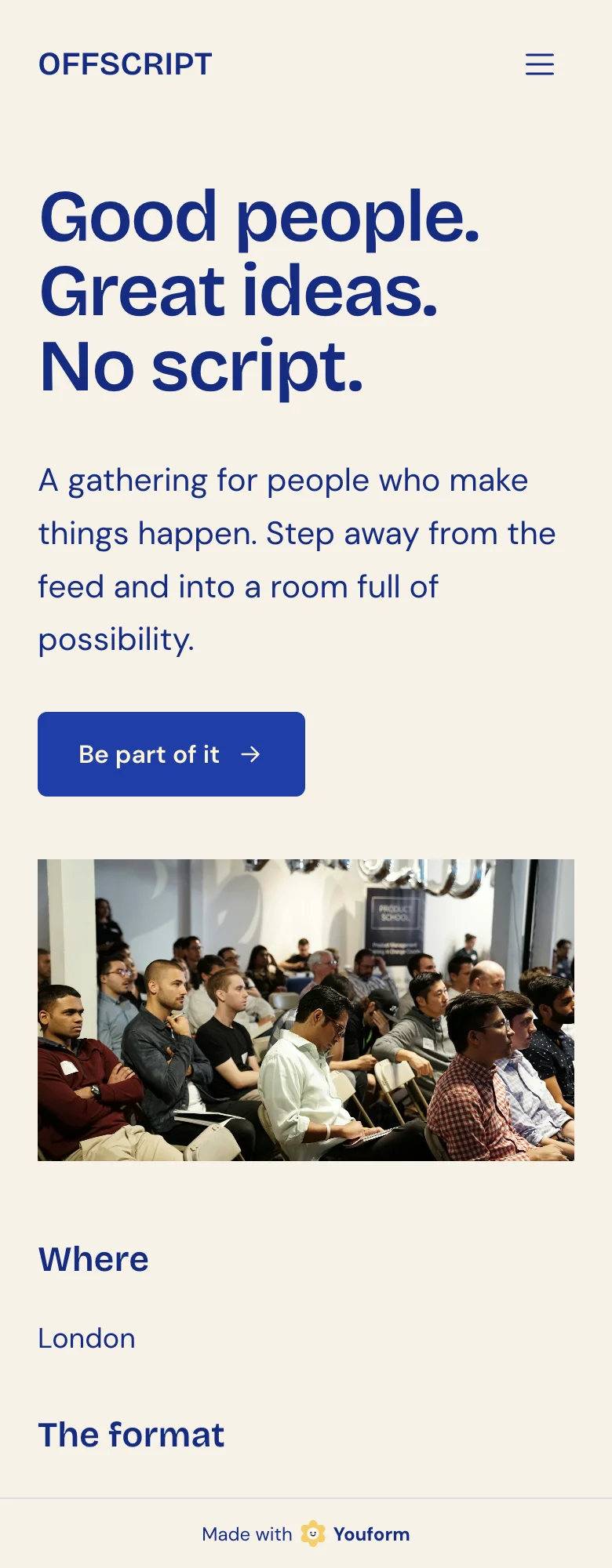
This Offscript example made with Youform Pages shows a clear headline, registration action, and event photograph. Use the worked brief above to plan your own date, agenda, and attendee information.
Explore more Pages examplesCheck the whole journey before sharing
Open the published link on a phone. Check that the date, time zone, and registration action are easy to find. Read the event description as someone who has never heard of the organizer.
Follow each registration button. Complete a test you control and check what the attendee sees afterwards. Verify that your team receives the response and that any configured joining-instructions workflow works.
- Page and form describe the same event.
- Event times include a time zone.
- Venue or online format is clear.
- Price and cancellation terms match the actual booking process.
- Every registration button reaches the intended form.
- Required form questions are necessary for this event.
- Confirmation text explains the next step accurately.
- Any promised email, calendar invitation, or recording has a configured delivery process.
- Page title and sharing image describe the event.
- A named person owns changes if the event moves or sells out.
Review registrations, then attendance
Pages analytics shows page visits, form views, starts, and completions for forms filled out on the page. Standalone form traffic belongs in Forms analytics. Use the stages to decide where to investigate; a completed registration is not proof that somebody attended.
After the event, update the page so it does not keep inviting people to a date that has passed. If you have recordings or a future-event waiting list, describe exactly what visitors will receive.
Questions people ask
Do I need a landing page if I already have a registration form?
Use the form alone when your invitation already supplies enough context. Add a page when people need the agenda, host details, practical answers, or a clearer explanation before registering.
Can I make an event page for free?
Youform Pages includes free hosted pages and connected forms. Check plan boundaries for custom domains, branding removal, and any paid form features you need.
Can I use an existing Youform?
Yes. Select an available form in your organization, connect it to the page, and choose inline or popup placement.
Does this replace event ticketing software?
Choose the tools your event requires. If you need reserved seating, ticket inventory, ticket issuance, scanning, refunds, or attendee check-in, verify those workflows separately. This guide covers an event page and connected registration form.
Sources and product review
Product workflow and plans checked on . The workshop brief and launch checklist are original editorial examples. These guides informed the event-page structure:
- Fonteva: event information and registration clarity
- Landingi: event landing-page examples
- Goldcast: virtual-event page examples
- Unbounce: pages before and after an event
Ready to put your invitation together? Explore the free landing page builder, then give visitors the details they need and a clear way to register.