
Jotform Alternative: Why Youform Is the Best Free Option [2026]
Looking for a Jotform alternative? Youform is a free Jotform alternative with unlimited forms and responses, while Jotform caps free users at 100 submissions a month. Compare pricing, features, ease of use, and integrations side-by-side below.


At a Glance: Youform vs Jotform
Quick comparison of key features, pricing, and capabilities to help you make an informed decision.

Youform
|
Jotform
|
|
|---|---|---|
| Ease of use | Streamlined, intuitive builder designed for speed | Powerful but feature-dense interface |
| Form builder style | Clean, menu-based builder with drag-and-drop | Rich drag-and-drop builder with extensive options |
| Templates & library size | 500+ curated, modern templates | 10,000+ templates across industries |
| Conditional logic & workflows | Smart conditional logic for common workflows | Advanced conditional logic and dynamic fields |
| Integrations & automation | Key integrations: CRM, email, webhooks, API | 100+ integrations including Zapier, webhooks, API |
| Pricing tiers & limits | Free: Unlimited forms & responses. Transparent paid plans. | Free: 5 forms, 100 submissions/month. Multiple paid tiers. |
| Reporting & analytics | Built-in analytics, exports, UTM tracking | Advanced reporting, dashboards, analytics |
| Support & resources | Help center, email support, community | Extensive documentation, email/chat support (paid plans) |
For simplicity and transparent pricing,
is the right choice.
Ease of Form Building
Both Youform and Jotform offer drag-and-drop form builders, but the experience differs significantly.
Youform focuses on simplicity and speed. The builder uses a clean, menu-based interface that lets you add questions quickly without overwhelming options. This makes it ideal for beginners and teams who want to create professional forms fast. The streamlined approach means you can go from idea to published form in minutes, not hours.

Youform builder — modern, clean, and focused on just the essentials.
Jotform provides a feature-rich drag-and-drop builder with extensive customization options. While powerful, the interface can feel dense with many settings and options, which may require a learning curve for new users. The platform offers more granular control, but this comes at the cost of simplicity.
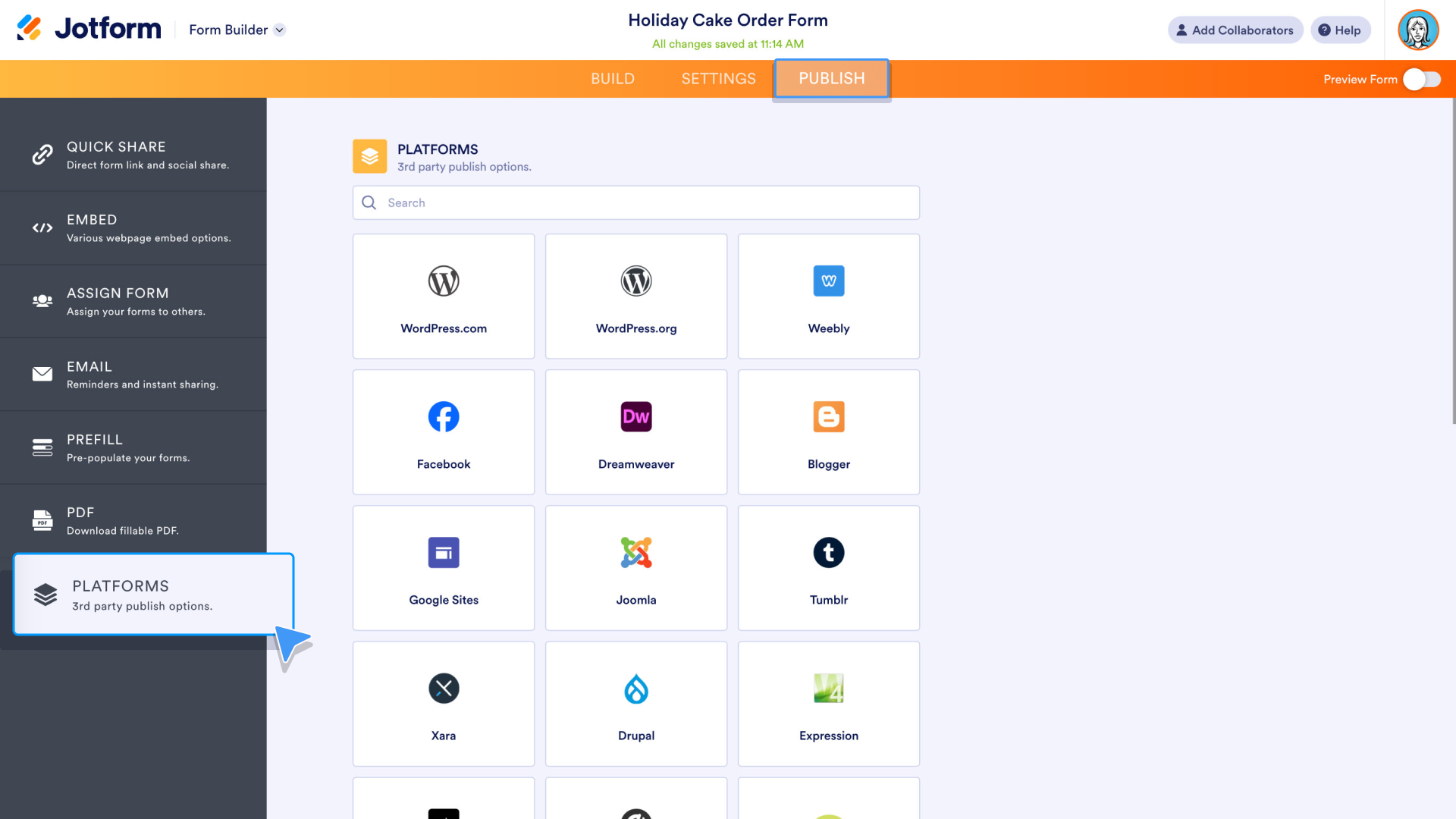
Jotform builder — powerful, with many panels and options visible at once.
UI/UX & Design
Visual appeal and user experience are crucial for form completion rates. The way your form looks and feels directly impacts whether people complete it.
Youform emphasizes conversion-focused design with conversational, one-question-at-a-time layouts that feel more like a dialogue than a form. This approach drives higher completion rates by reducing cognitive load. Youform offers multi-step layouts, branded experiences, and polished templates. Forms feel intentional and professional, with options for single-question-at-a-time or multi-step flows that improve completion rates. You can customize images, colors, and branding for each question, creating a cohesive visual experience that keeps form-takers engaged.
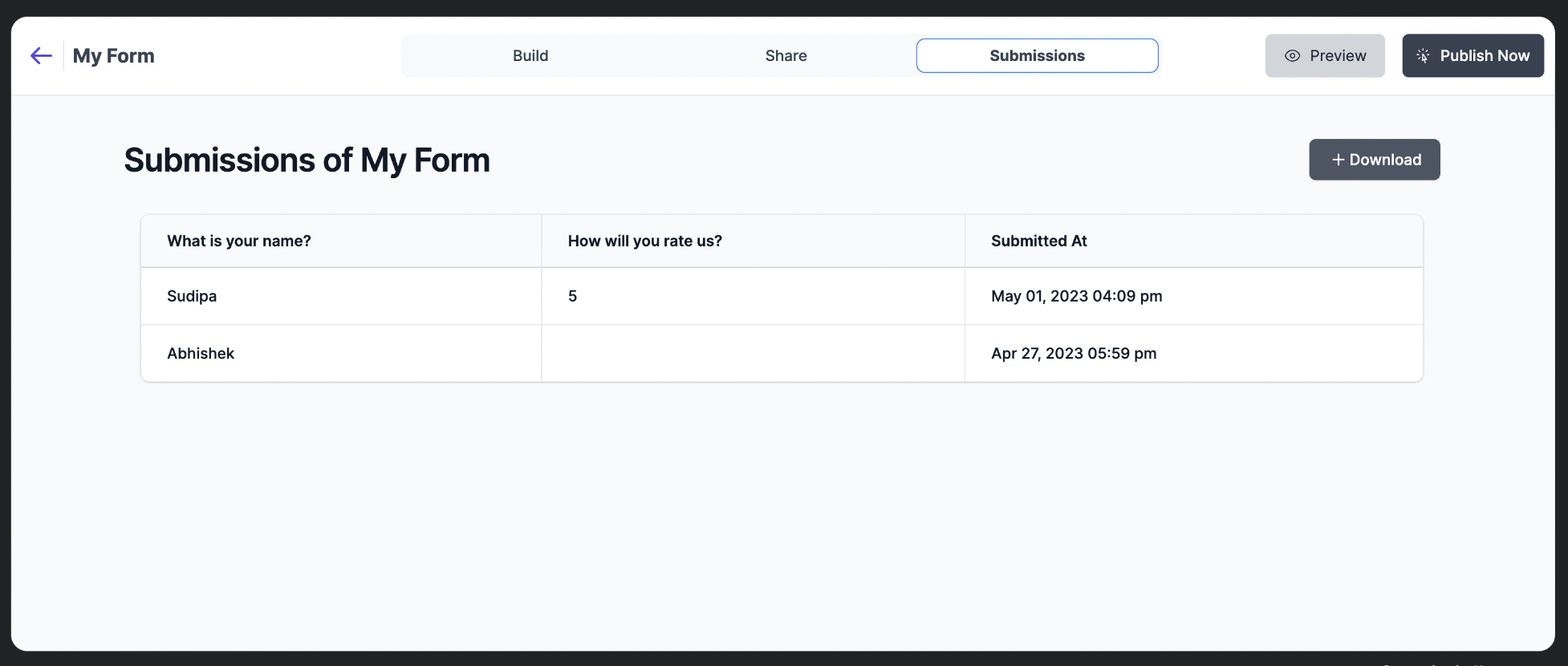
Youform form — conversational, multi-step, and fully branded for higher completion rates.
Jotform offers extensive design customization with themes and styling options. The platform supports both traditional single-page and multi-page forms, with strong branding controls on paid plans. While Jotform provides many design options, the forms tend to feel more like traditional web forms rather than conversational experiences.
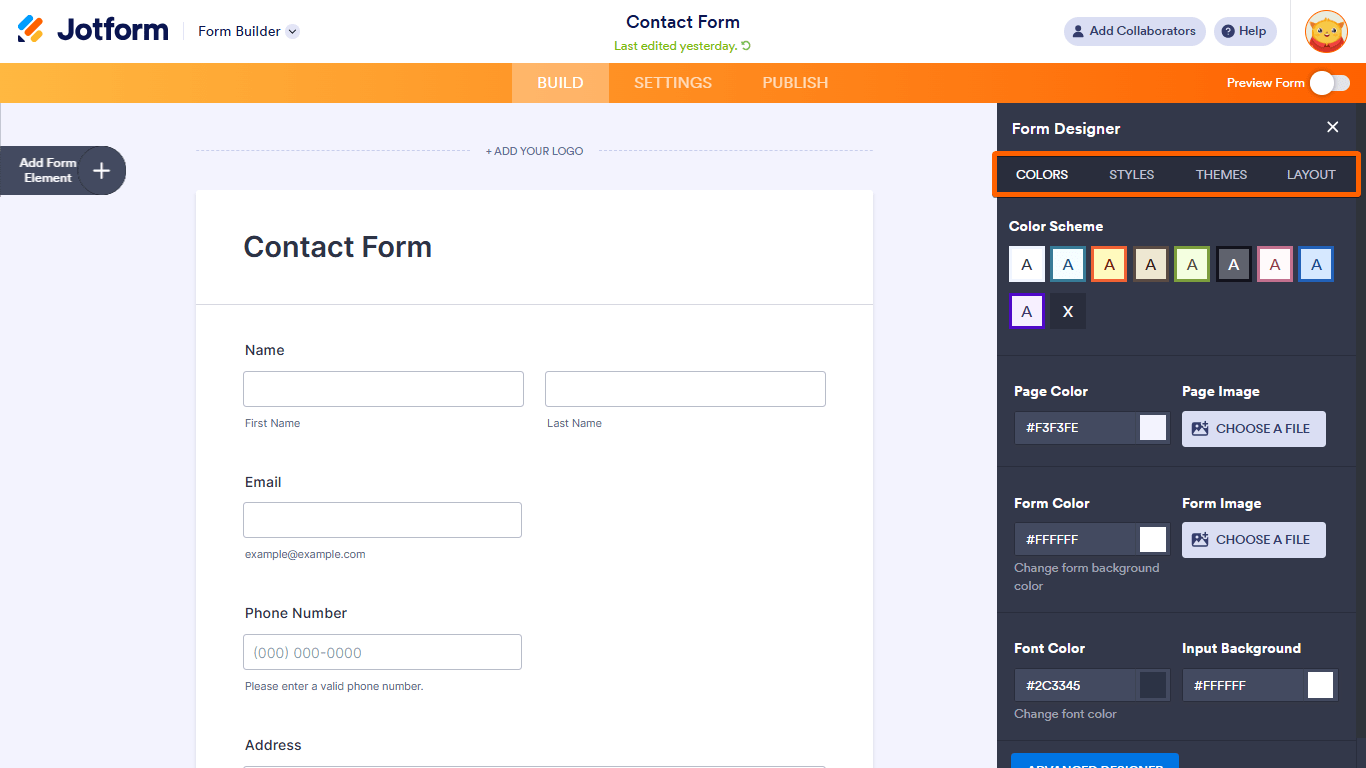
Jotform form — traditional long layout with more fields visible at once.
Both platforms are mobile-responsive, but Youform's conversational approach tends to perform better on mobile devices where one question at a time feels more natural.
Logic, Automation & Workflows
Conditional logic and automation capabilities determine how smart your forms can be.
Jotform is known for robust conditional logic and dynamic fields. The platform supports complex branching, calculations, and workflow automation through integrations like Zapier and webhooks. This makes it powerful for advanced use cases that require intricate form flows and data manipulation.
Youform provides smart conditional logic that handles most common business workflows without complexity. Show or hide questions based on answers, branch forms dynamically, and automate actions after submission. Youform's answer recall feature lets you personalize the experience by referencing previous answers, creating a more conversational flow. While not as extensive as Jotform's advanced features, it covers the needs of most teams effectively without requiring technical expertise.
Both platforms support sharing forms via links and embedding them on your website, so you can collect responses wherever your audience is.
Templates & Use Cases
Template libraries help you get started quickly with industry-specific forms.
Jotform boasts one of the largest template libraries with 10,000+ templates across industries, use cases, and form types. This extensive collection is a major strength for users who need specific, pre-built solutions. However, the sheer volume can make finding the right template time-consuming.
Youform offers 500+ curated, modern templates focused on quality over quantity. Templates are designed for conversion and cover common use cases like surveys, registrations, feedback forms, and quizzes. Each template is polished and ready to customize, making it easier to find what you need quickly. The curated approach means every template is optimized for engagement and completion rates.
Integrations & Data
Connecting your forms to other tools is essential for business workflows. Both platforms offer integrations, but the approach differs.
Jotform offers 100+ integrations including popular CRMs (Salesforce, HubSpot), email marketing tools (Mailchimp, Constant Contact), payment processors, and automation platforms like Zapier. The extensive integration ecosystem is a key advantage for enterprise users who need to connect many different tools.
Youform connects directly to Google Sheets, email, Slack, Notion, Google Tag Manager, Zapier, and Make.com. Through Zapier or Make you can plug Youform into 6,000+ other tools across your CRM, marketing, and automation stack. While the direct integration list is smaller than Jotform's, it focuses on the most frequently used tools and keeps setup simple.
| Integration |
Youform
|
Jotform
|
|---|---|---|
| Google Sheets | ✓ | ✓ |
| Mailchimp | ✓ | ✓ |
| Zapier | ✓ | ✓ |
| Slack | ✓ | ✓ |
| Salesforce | Via Zapier/Make | ✓ |
| HubSpot | ✓ | ✓ |
| Webhooks | ✓ | ✓ |
| API Access | ✓ | ✓ |
Both platforms offer API and webhook access for custom integrations. Jotform has a larger integration marketplace, while Youform focuses on ensuring the most-used integrations work flawlessly.
Reporting & Analytics
Understanding form performance and respondent data is crucial for optimization.
Jotform provides advanced reporting with dashboards, charts, and detailed analytics. The platform offers export options, data visualization, and reporting features that are particularly strong on paid plans. You can create custom reports and analyze data in various formats.
Youform includes built-in analytics with response tracking, completion rates, and UTM tracking. You can export data, view insights, and understand form performance. Youform also offers question-by-question drop-off analysis to help you identify where users abandon your forms, allowing you to optimize for better completion rates.
Both platforms support data export and provide insights into form performance. Jotform offers more advanced reporting features for enterprise users, while Youform focuses on actionable insights that help improve form conversion rates.
Pricing Comparison: Youform vs Jotform
Understanding pricing differences and value is crucial when choosing a form builder.
|
Youform
|
Jotform
|
|
|---|---|---|
| Free tier | Unlimited forms & responses. No credit card required. | 5 forms, 100 submissions/month, basic features |
| Paid plans | Transparent pricing. Remove branding, custom domains, advanced features. | Multiple tiers (Bronze, Silver, Gold, Enterprise) with varying limits |
| Response limits | Unlimited on free tier. No artificial caps on core features. | Free: 100/month. Paid plans: 1,000 to 100,000+ submissions/month |
| Custom domains | Available on Pro (paid) plans | Available only on Enterprise (custom quote) |
| Branding removal | Available on paid plans | Available on paid plans |
| Security & Compliance | GDPR compliant, form encryption, password protection | GDPR, HIPAA compliant, form encryption, password protection, reCAPTCHA |
Youform offers unlimited responses on the free tier, making it ideal for growing businesses and teams testing form builders. Jotform's free tier is more limited but offers more advanced features on paid plans for enterprise users.
When to Choose Each Tool
Youform is ideal if you want:
- • Simplicity and speed in form building
- • Unlimited responses on the free tier
- • Transparent, straightforward pricing
- • Modern, conversion-focused form design
- • Professional forms without complexity
- • Quick setup for small to medium businesses
- • Conversational, one-question-at-a-time experience
Jotform is ideal if you need:
- • Extensive template library (10,000+ templates)
- • Advanced conditional logic and workflows
- • 100+ integrations for complex automation
- • Enterprise-level features and support
- • Advanced reporting and analytics dashboards
- • HIPAA compliance requirements
- • Complex form calculations and data manipulation
Common Use Cases
Both Youform and Jotform excel in different scenarios. Here are common use cases where each platform shines.
SaaS Onboarding
Collect user preferences and setup information during product onboarding.
Event Registrations
Manage event signups, collect attendee information, and handle payments.
Customer Feedback
Gather product feedback, satisfaction surveys, and customer insights.
Payment + Lead Capture
Combine lead generation with payment processing for seamless transactions.
Frequently Asked Questions
Is Youform better than Jotform?
It depends on your needs. Youform excels in simplicity, transparent pricing, and unlimited free responses. Jotform offers more templates, advanced features, and extensive integrations. Choose Youform if you want a straightforward, modern form builder. Choose Jotform if you need extensive customization and enterprise features.
Can Youform match Jotform's conditional logic?
Youform provides smart conditional logic that handles most common business workflows effectively. While Jotform offers more advanced conditional logic options, Youform's implementation is simpler to use and covers the needs of most teams without complexity.
Which form builder is easier for beginners?
Youform is generally easier for beginners due to its streamlined interface and focus on simplicity. The builder is intuitive and gets you creating forms quickly. Jotform, while powerful, has a steeper learning curve due to its extensive feature set.
Does Youform integrate with my CRM?
Yes, Youform offers integrations with popular CRMs and marketing tools via Google Sheets, Zapier, and Make.com, plus webhook and API access for custom workflows. Through Zapier or Make you can connect Youform to over 6,000 apps, so while the direct integration list is smaller than Jotform's 100+ options, it covers the most common business needs.
What happens to my data if I switch?
Both platforms allow you to export your form data. Youform makes it easy to export responses in common formats. You can migrate your forms and data between platforms, though you'll need to recreate forms in the new builder. Both platforms prioritize data portability.
Scrolled so much still not sure?
Let your favorite AI tell you if Youform is the right fit.


Already made up your mind?
Sign up now
Legal

🔒 Data securely stored with AWS in EU 🇪🇺