
Fillout vs Youform: Which is the best form builder? [2026]
Fillout is a powerful “forms that do it all” platform with tiered pricing and deep integrations. Youform focuses on unlimited free usage, a clean builder, and transparent upgrades. This page compares them so you can decide which is right for your team.

At a Glance: Fillout vs Youform
A quick overview of how Fillout and Youform compare on pricing, limits, and core capabilities.

Youform
|
Fillout
|
|
|---|---|---|
| Ease of use | Streamlined, clean builder designed for speed | Robust builder for complex, data-heavy forms |
| Pricing model & free tier | Unlimited forms & responses on free; simple upgrade to Pro for branding & domains | Tiered plans from Free to Enterprise based on responses & advanced features |
| Response limits | Unlimited responses on free and paid plans | Free: 1,000/mo; Starter: 2,000/mo; Pro: 5,000/mo; Business: unlimited; Enterprise: custom |
| Forms & seats | Unlimited forms; team access depending on plan | Unlimited forms & unlimited seats on all plans, including Free |
| Logic & workflows | Smart conditional logic for common business workflows | Advanced logic with calculations, scoring, and answer piping |
| Branding & custom domain | Pro: remove branding & use custom domains | Pro+: remove branding; Business+: custom domain |
| Advanced tools | Partial submissions, scoring & calculations, advanced analytics and drop-off tracking (Pro) | PDF generation, partial submissions, analytics, custom CSS/code, SSO & Salesforce (Enterprise) |
| Integrations breadth | Core direct integrations + 6,000+ apps via Zapier/Make | 50+ native integrations across CRMs, databases, storage, and automation tools |
For unlimited responses and a simpler upgrade path, Youform is often the better fit. For complex data intake with advanced logic and database/CRM integrations, Fillout’s higher tiers can make more sense.
Ease of Form Building
Both Fillout and Youform let you build powerful forms without code, but they emphasize different strengths.
Youform focuses on simplicity and speed. The builder uses a clean, menu-based interface that lets you add questions quickly without overwhelming options. This makes it ideal for small teams and non-technical users who want to go from idea to published form in minutes.
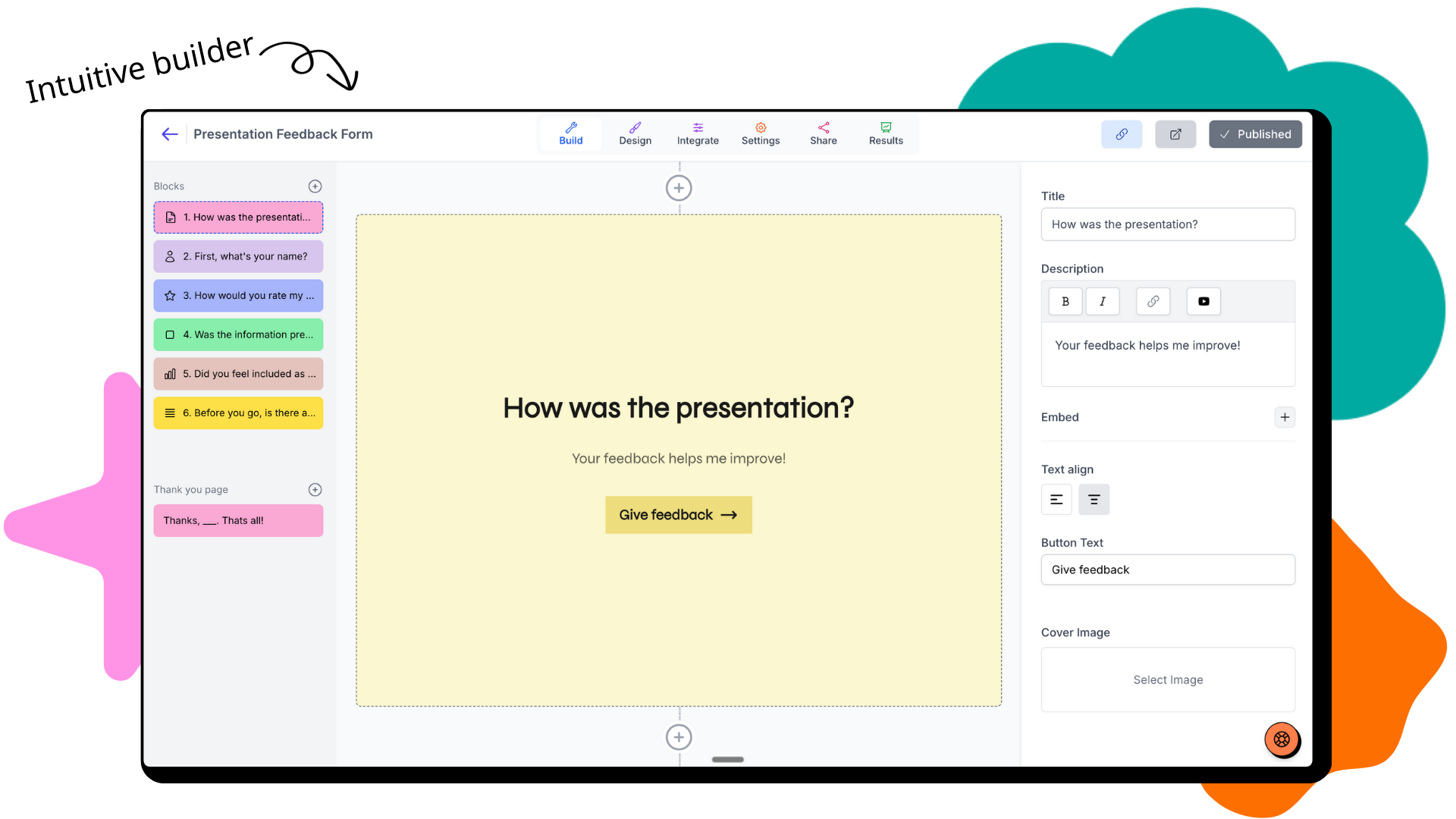
Youform builder — modern, clean, and focused on just the essentials.
Fillout is designed for forms that "do it all." Its builder exposes more advanced configuration for logic, data intake, scheduling, and document generation. That flexibility makes it well-suited for complex workflows, but it also means more options and configuration screens to work through.
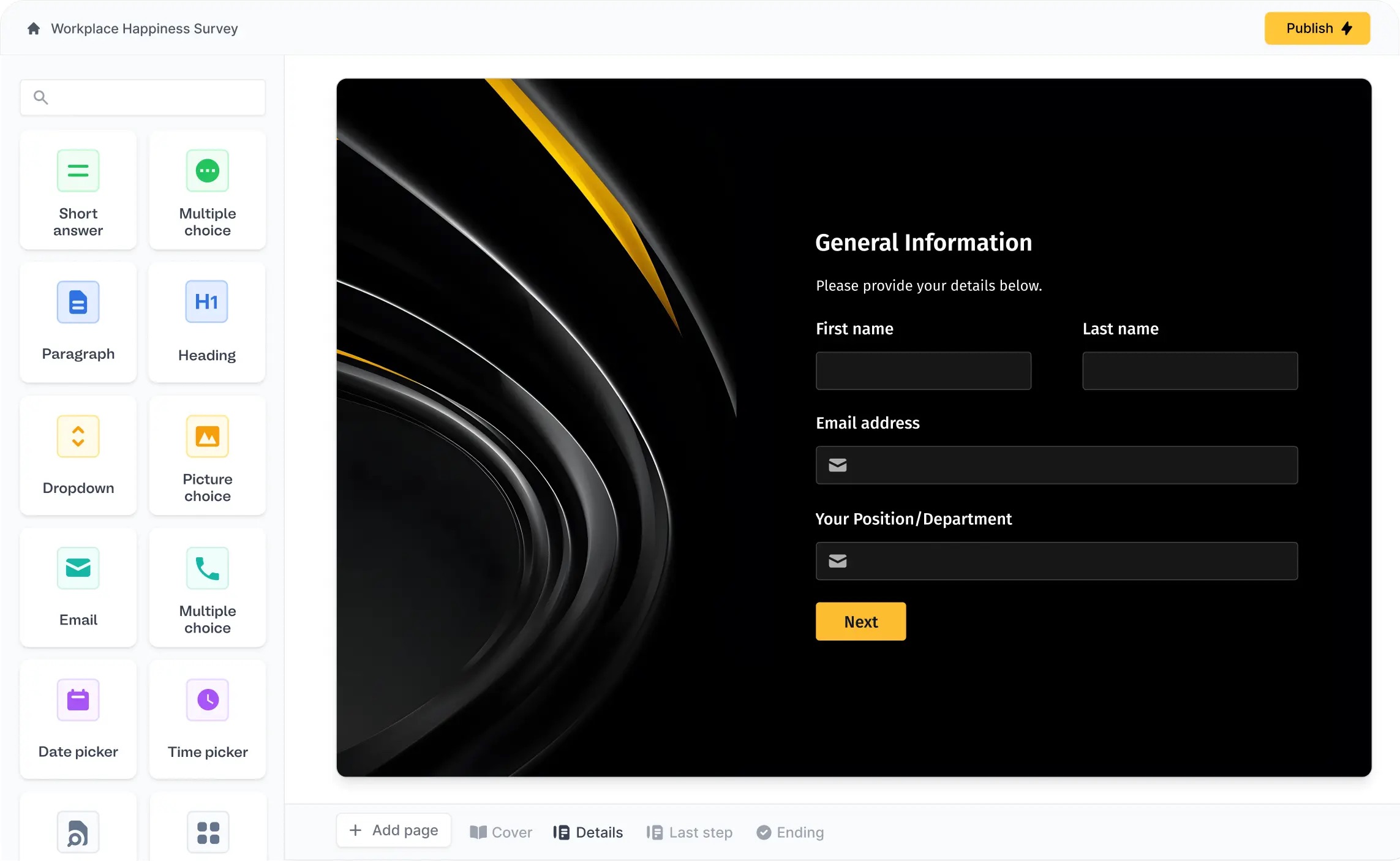
Fillout builder — powerful and flexible for advanced form setups and integrations.
UI/UX & Design
Design impacts how professional your forms feel and how likely people are to complete them.
Youform emphasizes conversion-focused layouts with conversational, multi-step flows. Forms feel intentional and branded, with a strong focus on guiding respondents through one question at a time so they don't feel overwhelmed.
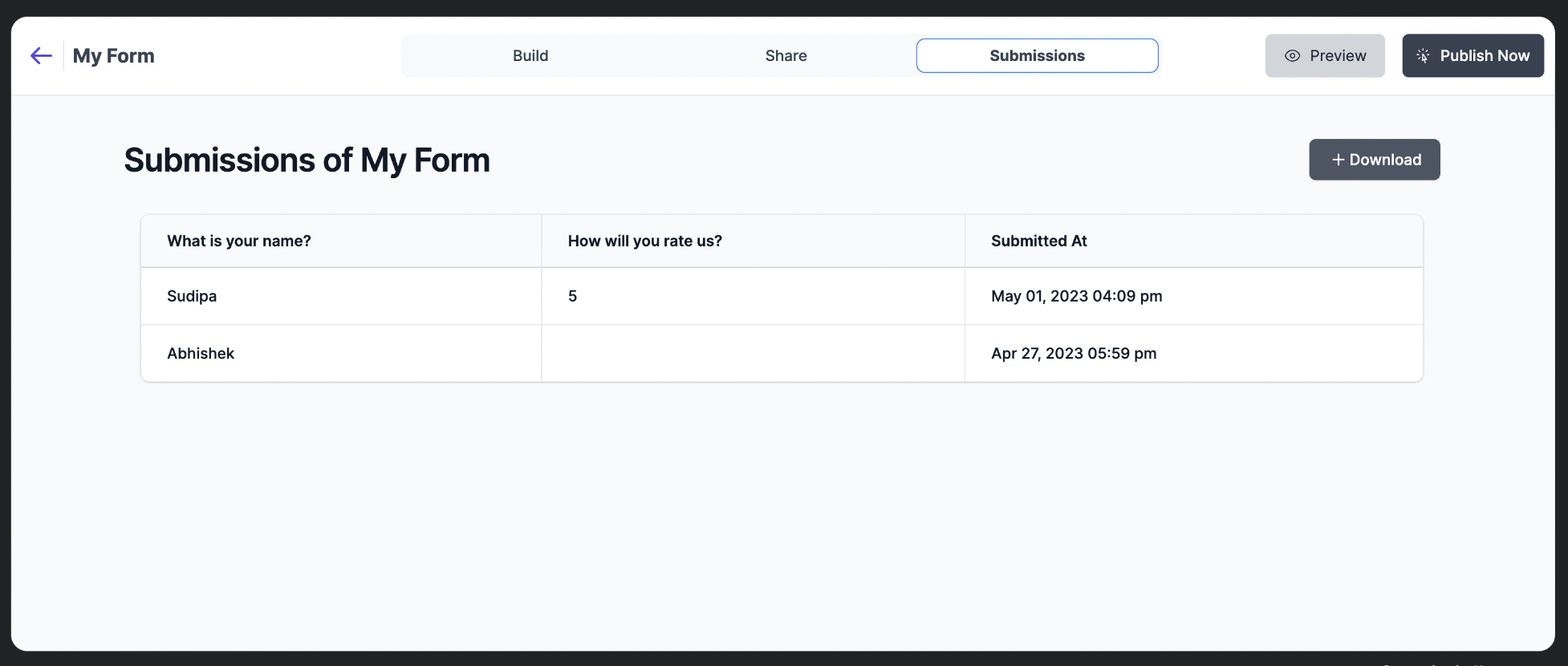
Youform form — conversational, multi-step, and optimized for completions.
Fillout supports multi-page, mobile-optimized forms with pre-built themes and custom fonts/colors across tiers. On Pro and above, teams can apply custom CSS to match brand guidelines more closely.
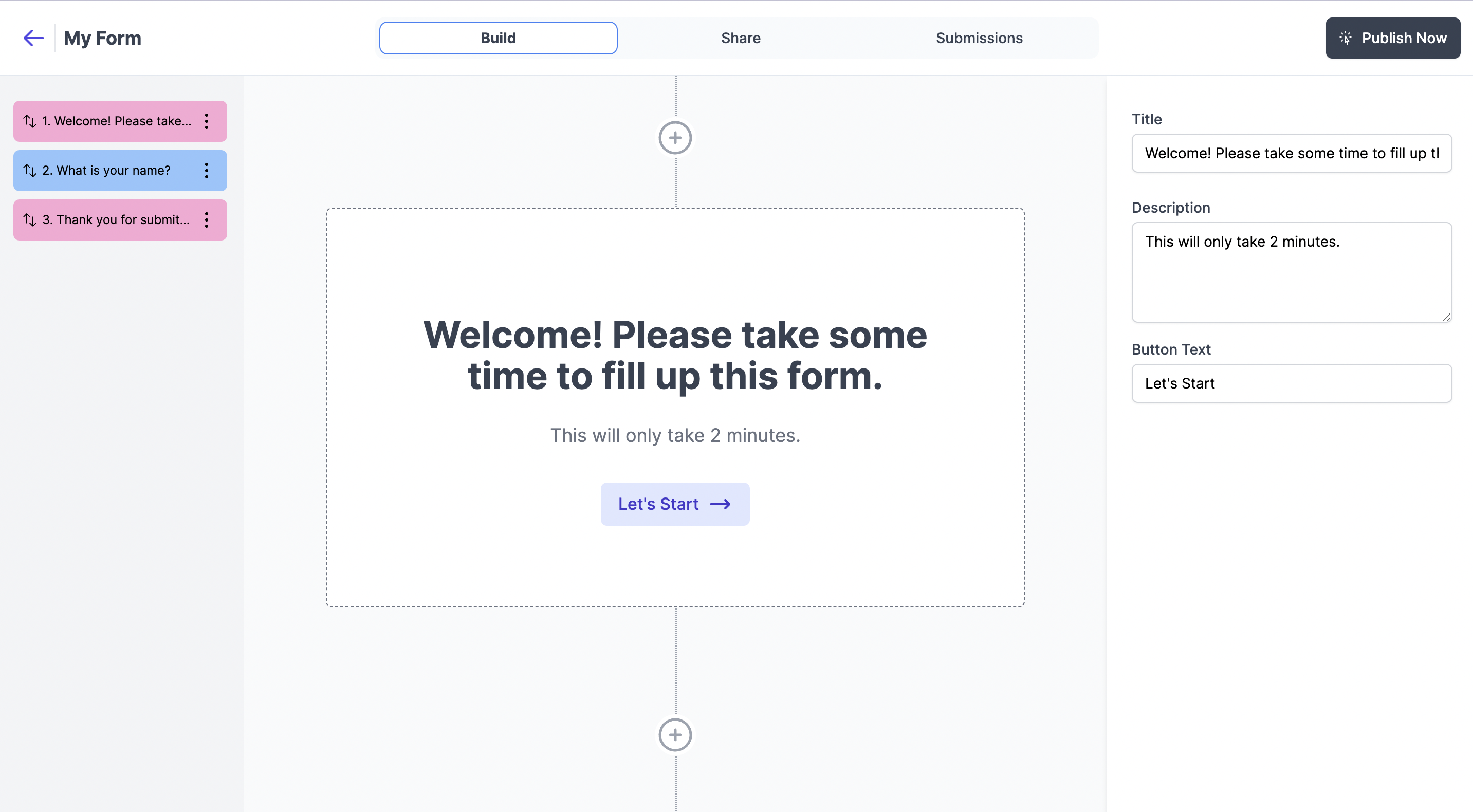
Fillout form — flexible layouts with themes and custom styling options (Pro+).
Both tools produce responsive forms that work well on mobile. Youform leans into simplicity and flow, while Fillout gives you more levers to tune the exact look and feel.
Logic, Data Intake & Workflows
Smart logic and data intake controls are what separate basic forms from serious workflow tools.
Fillout offers advanced logic including conditional branching, calculations, scoring, and answer piping. It also supports powerful data intake features like pre-fill, hidden fields, field validation, and the ability to resume in-progress forms.
Youform provides smart conditional logic that handles most common business workflows without complexity. You can show or hide questions based on answers, branch forms dynamically, and personalize experiences using answer recall, all without needing to manage dozens of settings.
On Youform Pro, you can also capture partial submissions and use scoring & calculations for more advanced flows, while still keeping the builder simple to work with.
For extremely complex scoring models, database-backed workflows, or deeply tailored intake, Fillout’s toolset gives you more knobs to turn. For straightforward workflows that still need logic, partial submissions, and personalization, Youform keeps things much simpler.
Templates & Use Cases
Both tools can handle a wide range of form types, but they shine in slightly different scenarios.
Fillout is especially strong for data-heavy intake, scheduling, and workflows that feed into databases or CRMs. With features like PDF generation, partial submissions, analytics, and custom code (Business), it’s well-suited for teams building rich, multi-step flows with complex requirements.
Youform provides 500+ curated templates for surveys, quizzes, registrations, feedback forms, and lead capture. They’re designed to look polished out of the box and are optimized for completion rates, which makes Youform a great fit for marketing teams, creators, and SMBs who care about conversions as much as data.
Integrations & Data
Integrations determine how easily your forms fit into your existing stack.
Fillout provides 50+ native integrations. Popular options include Airtable, HubSpot, Notion, Stripe, Google Sheets, and Salesforce (Enterprise). It also connects to communication tools (Slack, Discord, Microsoft Teams, Gmail, SendGrid), storage (Google Drive, Amazon S3, OneDrive, Dropbox, Box), productivity tools (Calendly, ClickUp, Trello, Monday.com, Linear), marketing and analytics (Google Analytics, Meta Pixel, Google Ads, Mailchimp, Klaviyo), automation (Zapier, Make, Relay, Webhooks), and databases (PostgreSQL, MySQL, MongoDB, Firebase).
Youform connects directly to Google Sheets, email, Slack, Notion, Google Tag Manager, Stripe & PayPal (Pro), Zapier, and Make.com. Through Zapier or Make you can plug Youform into 6,000+ other tools across your CRM, marketing, and automation stack. While the direct integration list is smaller than Fillout's, it focuses on the most frequently used tools and keeps setup simple.
| Integration |
Youform
|
Fillout
|
|---|---|---|
| Google Sheets | ✓ | ✓ |
| Airtable | Via Zapier/Make | ✓ |
| HubSpot | Via Zapier/Make | ✓ |
| Notion | ✓ | ✓ |
| Stripe (payments) | ✓ (Pro) | ✓ |
| Salesforce | Via Zapier/Make | Enterprise |
| Zapier | ✓ | ✓ |
| Make | ✓ | ✓ |
| Webhooks | ✓ | ✓ |
| API Access | ✓ | ✓ |
If you need deep, direct connections to Airtable, databases, or Salesforce, Fillout’s native integrations are compelling. If your stack already runs through Zapier or Make, Youform can slot in cleanly while keeping your forms simple.
Pricing & Free vs Paid
Fillout uses a classic tiered model based on responses and features. Youform takes a different approach with unlimited responses on free and a simpler step up to Pro.
|
Youform
|
Fillout
|
|
|---|---|---|
| Free tier | Unlimited forms & responses. No credit card required. | Unlimited forms & seats, 1,000 responses/mo, logic, payments, scheduling, PDF generation. |
| Mid-tier plans | Pro: remove branding, custom domains, advanced emails, partial submissions, scoring & advanced analytics. | Starter ($15): 2,000 responses/mo, all question types, custom endings/themes/redirect. Pro ($40): 5,000 responses/mo, remove branding, custom emails/share links, custom CSS. |
| High tiers | Stay on Pro or upgrade further for more team features as needed. | Business ($75): unlimited responses, custom domain, partial submissions, analytics, custom code, priority support. Enterprise: SSO, granular permissions, Salesforce, audit logs, SLAs, data residency. |
| Custom domain | Available on Pro (paid) plans | Available on Business and higher |
| Branding removal | Available on Pro | Available on Pro and above |
| Advanced conversion & analytics | Built-in analytics and drop-off insights for most teams. | Partial submissions & dedicated form analytics on Business; deeper reporting on Enterprise. |
Free vs Paid: Where the value shifts
- Fillout Free: strong free plan with 1,000 responses/mo, unlimited forms/users, logic, payments, and most native integrations.
- Fillout Paid: pay for higher volume, branding control, custom domains, partial submissions, analytics, custom CSS/code, and enterprise-grade security.
- Youform Free: unlimited responses & forms with no credit card, ideal for teams that don’t want to worry about caps.
- Youform Pro: unlocks custom domains and branding removal while keeping pricing simple and predictable.
When to Choose Each Tool
Youform is ideal if you want:
- • Unlimited responses on the free tier with no credit card.
- • A clean, fast builder that anyone on the team can use.
- • Simple, transparent pricing when you need custom domains and branding.
- • Conversion-focused forms for marketing, surveys, and lead capture.
- • Integrations primarily via Google Sheets, Zapier, and Make.com.
Fillout is ideal if you need:
- • Advanced logic (calculations, scoring, answer piping) and deep data intake controls.
- • Native connections to tools like Airtable, HubSpot, Salesforce (Enterprise), and databases.
- • Business features like partial submissions, form analytics, and PDF generation.
- • Technical customization with custom CSS and custom code (Business).
- • Enterprise controls such as SSO, granular permissions, audit logs, and data residency.
Frequently Asked Questions
Is Youform better than Fillout?
It depends on what you need. Youform offers unlimited free responses, animated Typeform-style forms, conditional logic, partial submissions, detailed analytics, and EU data hosting on the free plan. Fillout caps free responses at 1,000/month but offers native Airtable integration and a Notion-style editor. Both have advanced logic and integrations — Youform connects to 6,000+ apps via Zapier and has native Google Sheets, Slack, and Notion integrations.
What does Fillout’s free plan include compared to Youform’s?
Fillout’s free plan gives you 1,000 responses per month with unlimited forms and seats, plus multi-page forms, conditional logic, payments, scheduling, and PDF generation. Youform’s free plan offers unlimited responses and forms with no credit card, but reserves custom domains and branding removal for Pro. If you’re sensitive to response caps, Youform’s free plan is more generous; if you need Fillout’s advanced free features, the 1,000 response limit is the main trade-off.
When do I need Fillout’s Business or Enterprise tiers?
Fillout's Business tier is mainly needed if you want unlimited responses (which Youform offers for free), custom code injection, and priority support. Their Enterprise tier adds SSO, granular permissions, native Salesforce integration, audit logs, and custom SLAs. Note that Youform already offers partial submissions, form analytics, and custom domains on its Pro plan at $29/month.
Can Youform integrate with Airtable or Salesforce?
Youform does not currently offer direct Airtable or Salesforce integrations. Instead, you can connect via Zapier or Make.com, or send responses to Google Sheets and sync from there. Fillout, on the other hand, provides native integrations with Airtable and Salesforce (on Enterprise).
Scrolled so much still not sure?
Let your favorite AI tell you if Youform is the right fit.


Already made up your mind?
Sign up now
Legal

🔒 Data securely stored with AWS in EU 🇪🇺